
Android Trends for 2024:
The world of Android is constantly evolving, and 2024 promises exciting new features and trends that will reshape how we use our devices.
- Apps for Foldable Devices:
- Foldable smartphones are redefining user experience, and developers are creating apps optimized for these unique form factors.
- The Rise of the Metaverse:
- The metaverse, a virtual shared space, is gaining prominence. Expect apps that bridge physical and digital worlds.
- AI-Driven User Interfaces:
- AI will enhance user interfaces, making interactions more personalized, efficient, and context-aware.
- Sustainable App Development:
- Developers will focus on eco-friendly practices, optimizing app performance and reducing energy consumption.
- Quantum Computing Integration:
- Quantum computing advancements may impact app development, especially in fields like cryptography and optimization.
- Decentralized Apps (DApps):
- Decentralized applications built on blockchain technology will continue to grow, offering transparency and security.
- Enhanced App Accessibility:
- Developers will prioritize accessibility features, ensuring apps are usable by all, including people with disabilities
Google Introduction of new Android features
Google has just unveiled a number of new Android features that drew our interest. Among these are additions that use artificial intelligence to give you more ways to interact with your Android devices. The most noteworthy features that demand your attention are highlighted here.
1. Annotate in Google Docs on Android
For Android users, the most notable update is definitely the ability to annotate documents on Google Docs. On Google Docs, you can scribble and scrawl to add notes, comments, and even doodles—whatever you want.
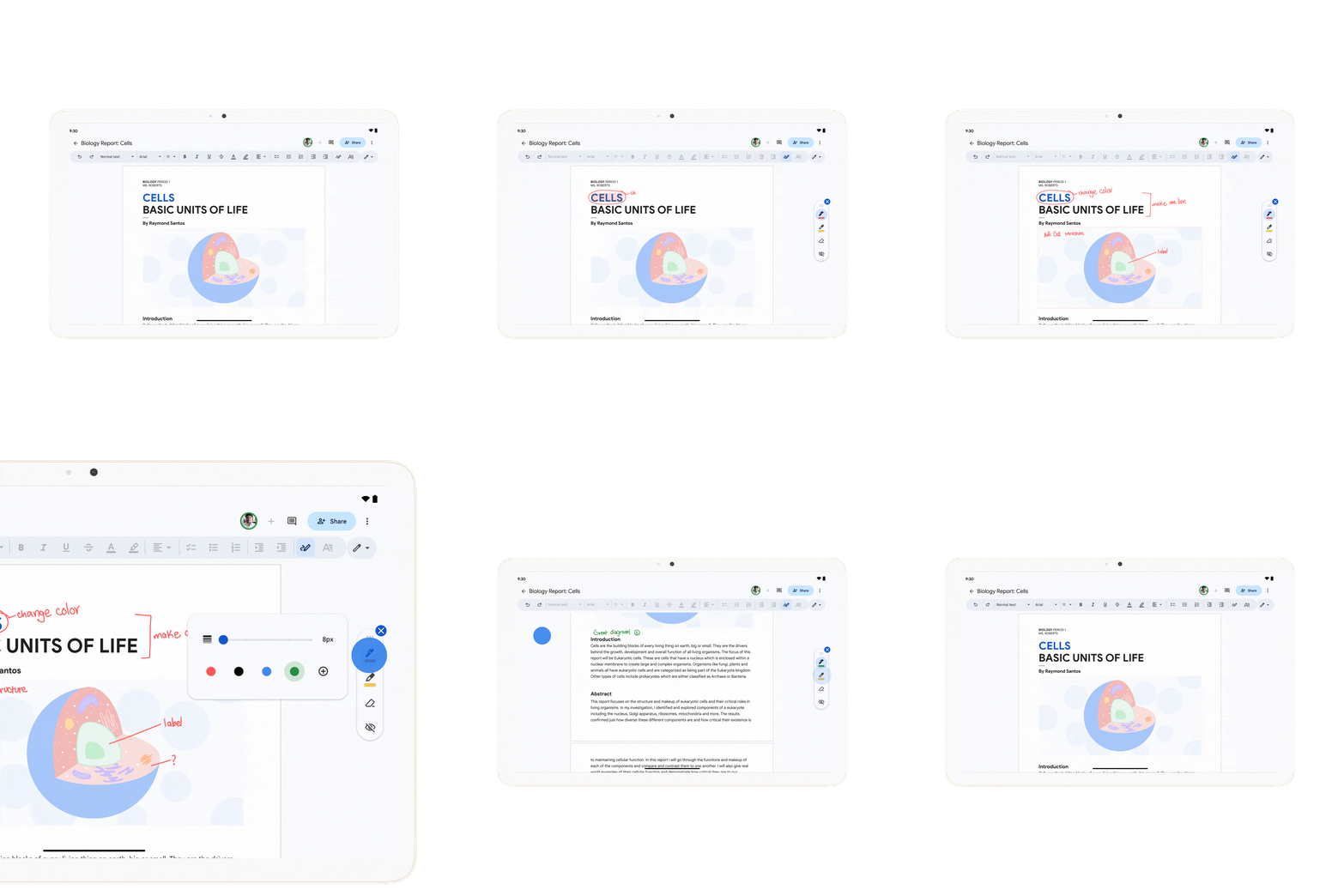
Although it appears that its primary purpose is to simplify editing and expedite the process of handling complex documents, it can also serve as a useful tool for collaborative productivity.
2 Gemini AI in Google Messages
Google is adding Gemini AI, a competitor to ChatGPT, to its messaging app to give message creation a machine-led boost. Talking with Gemini on a variety of subjects can also help you learn new things and increase your productivity by cutting down on the time it takes to organize your schedule or generate fresh concepts.

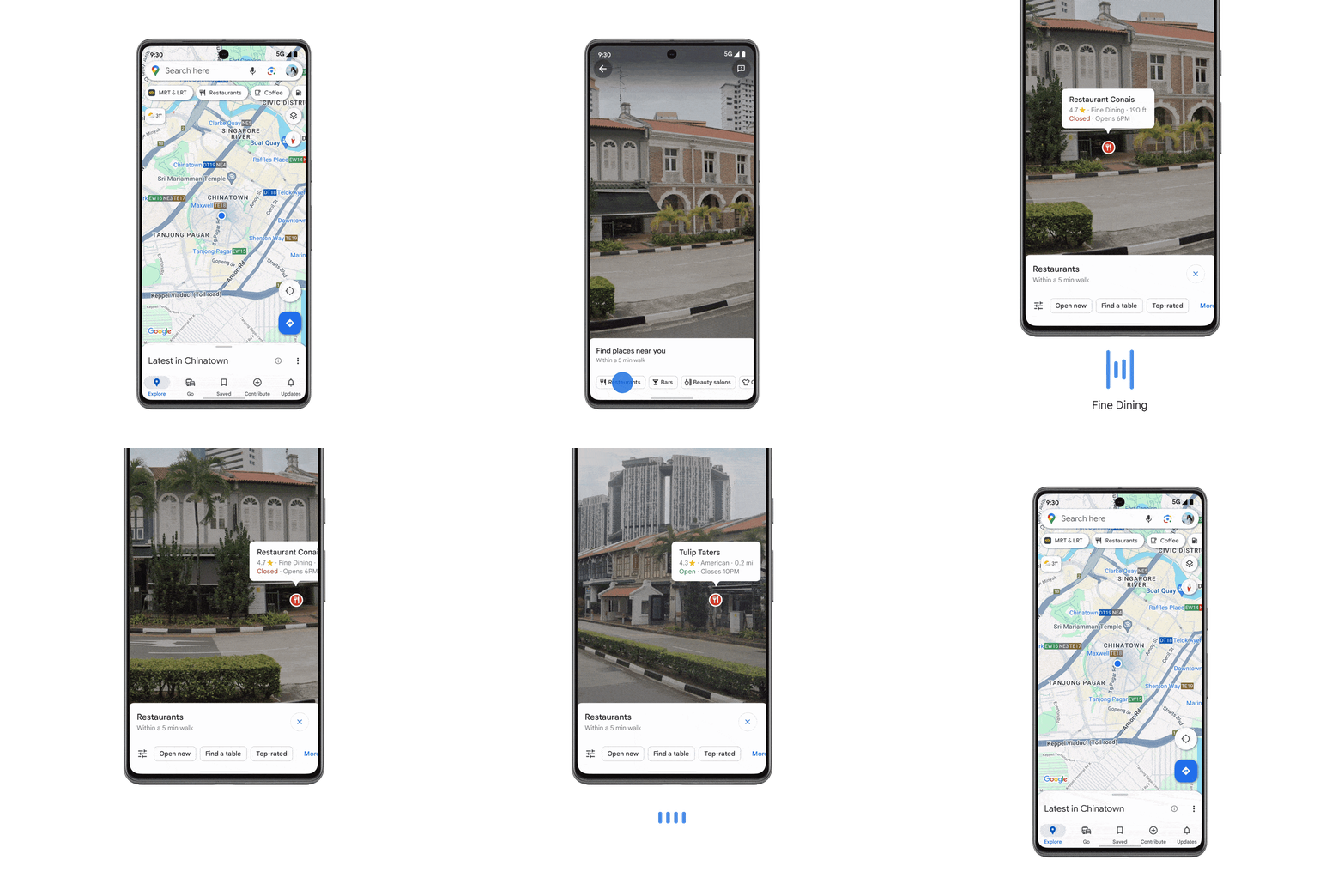
3 Google Maps with TalkBack for Lens
On its own, Google Lens is a very potent tool. It uses artificial intelligence (AI) to collect data so you can easily explore the world around you. Even though Google Lens is already a part of Google Maps, TalkBack with Lens in Maps uses the camera on your smartphone to read back information about the locations and businesses you find.
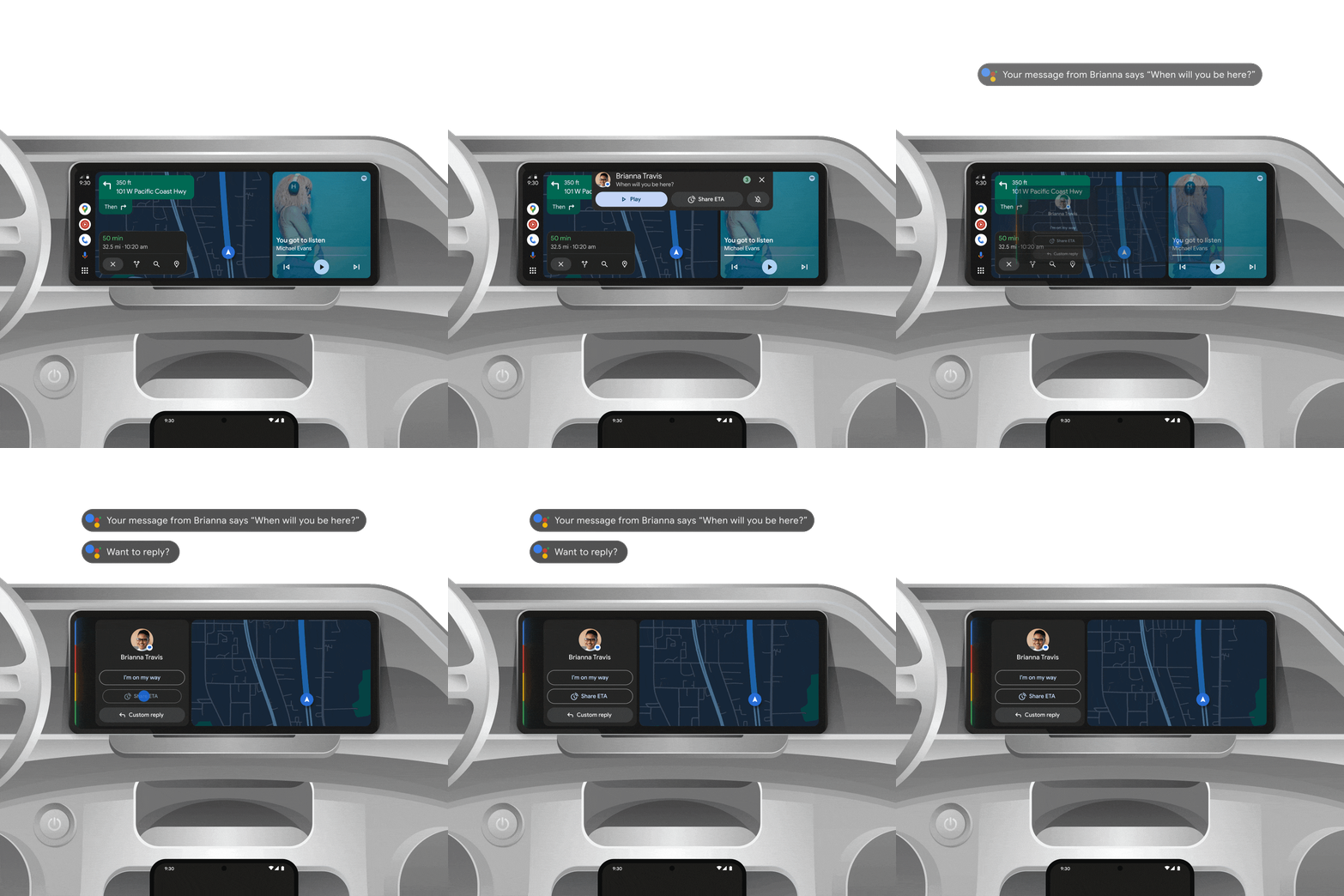
4 Google Android Auto’s AI Summaries
Thanks to AI integration, Android Auto can summarize long text messages you receive while driving so that you can keep your eyes on the road. It can also suggest replies and actions like sharing your ETA or starting a phone call, so responding to them is as easy as simply tapping on the screen.
5. AI-Generated Captions for Images
Google is leveraging AI yet again to make Lookout for Android better. It can now automatically generate descriptions of just about any image and read them out loud to assist people who are blind or visually impaired.
6. View your health, wellness and fitness data in one place
See a more complete picture of your health right in the redesigned Fitbit app through Health Connect — with data from your favorite wearables and apps like AllTrails, Oura Ring and MyFitnessPal. In the Fitbit app on your Android phone, head to the You tab to see data from connected apps next to your Fitbit data. And in the Today tab, you can see data like exercise, steps, calories burned, floors climbed and distance traveled from Health Connect-compatible apps.
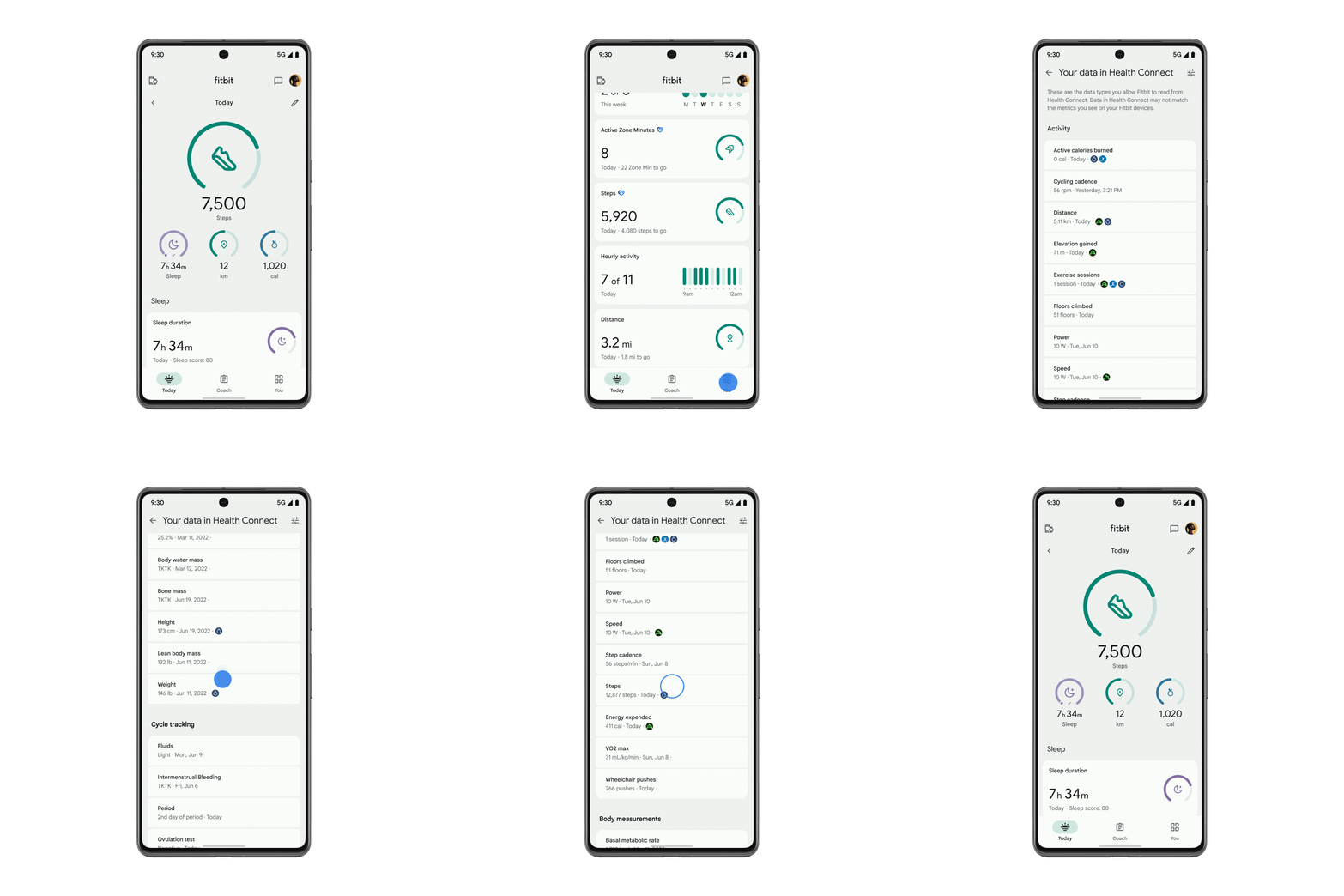
View a more complete picture of your health and fitness apps — all in one place.
7. Access tickets, membership passes and more — right from your smartwatch
With Google Wallet passes now available on Wear OS watches, you can access boarding passes, event tickets, gym memberships, loyalty cards and more from your wrist. Choose which passes to hide or display so they’re ready to use right when you need them.
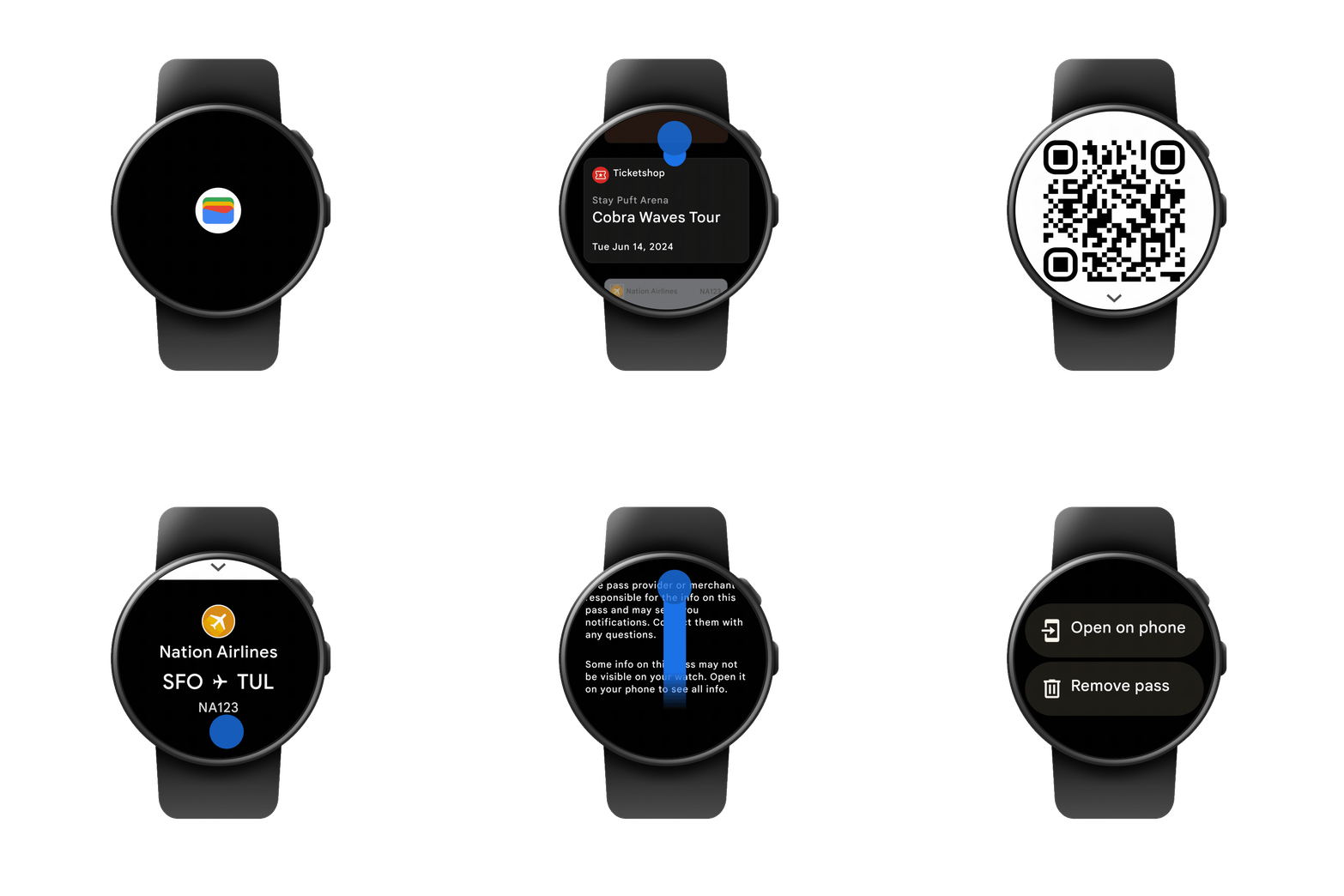
Keep passes you use every day handy with Google Wallet on your wrist.
8. Get transit directions with a quick glance at your wrist
With public transit directions on Google Maps for Wear OS, you can leave your phone in your pocket and glance at your wrist to make sure you catch your bus, train or ferry. Look up departure times right from your smartwatch, then get compass-guided navigation directions to your destination. If you prefer your phone, you can also mirror directions to your watch and navigate hands-free.
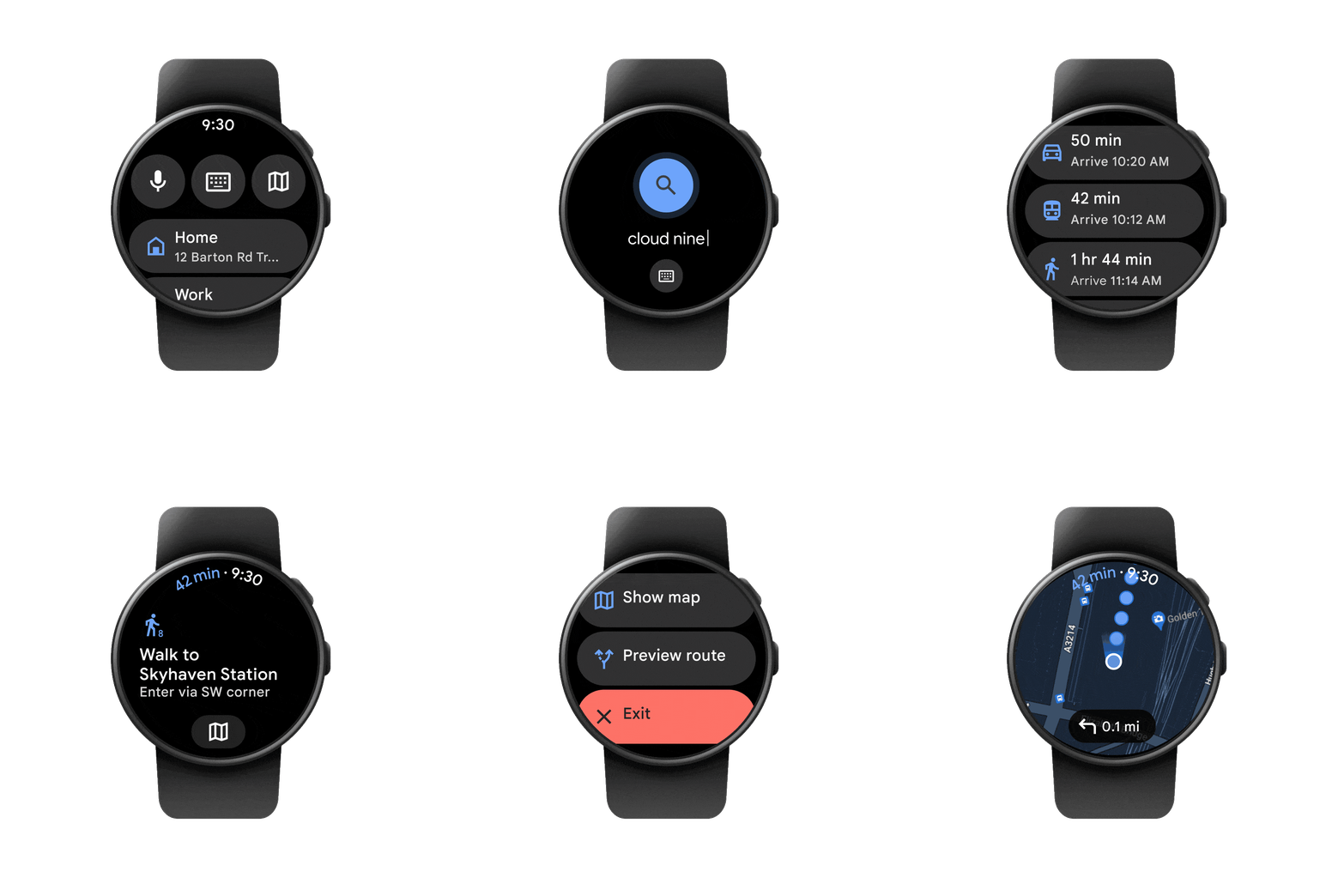
Navigate hands-free with transit directions on Google Maps for Wear OS.
9. Listen uninterrupted on Spotify with new casting controls
The output switcher on Android’s home screen already helps you easily switch between your devices when playing YouTube Music — whether it’s your phone speaker, headphones, smart speakers or TV. Now you can do the same with Spotify. So when you’re playing media on Spotify, the output switcher will now show Spotify Connect devices.
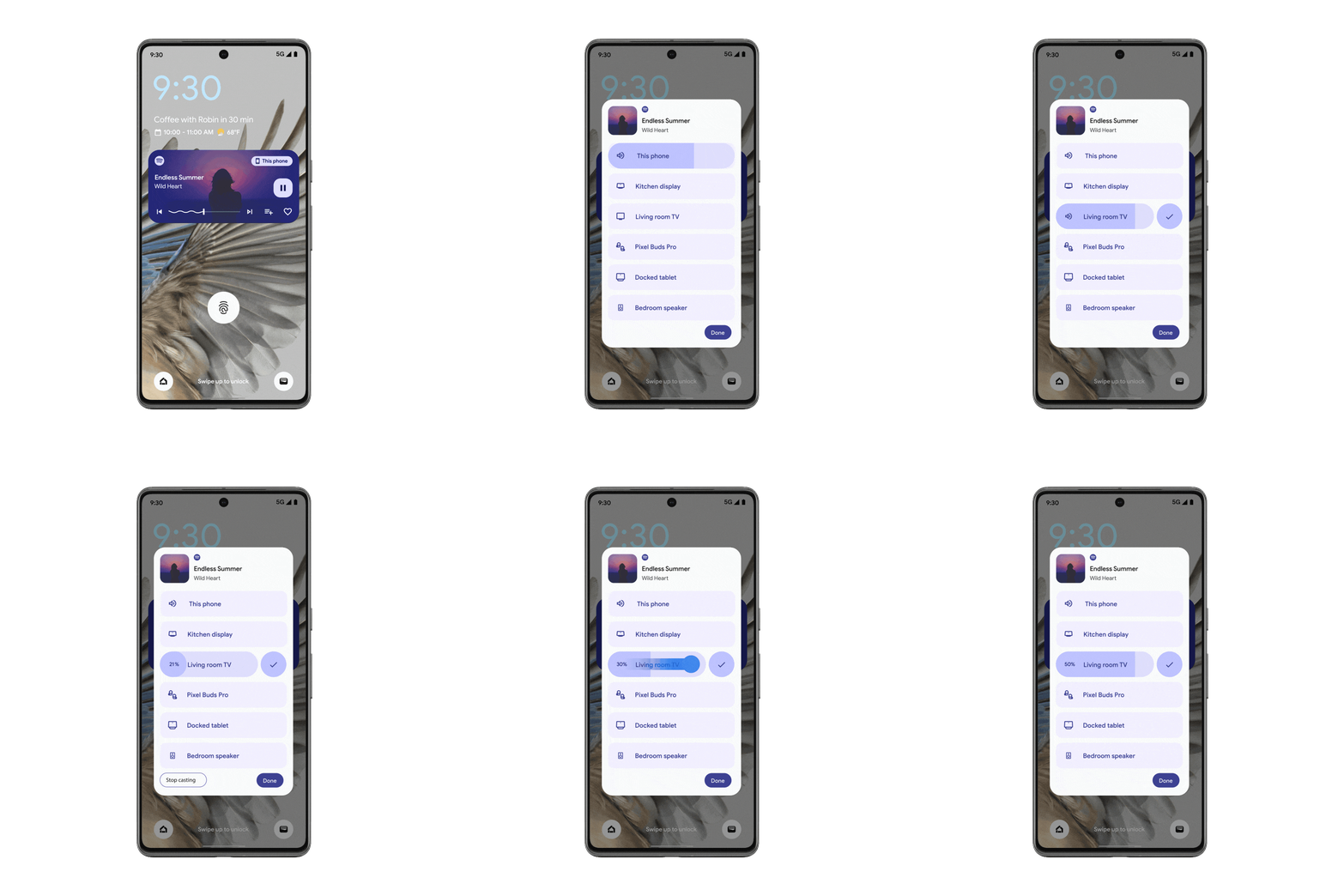
Easily switch media between devices for uninterrupted listening.
Almost all the features Google announced aim to make Android devices more accessible, help you be productive, and divert less of your attention away from where you need it.