
Table of Contents
Toggle1: Introduction
Imagine you’re in a bustling city café, preparing to record your latest podcast episode. The aroma of freshly brewed coffee fills the air, but amidst the clinking of cups and the chatter of patrons, you struggle to capture your voice clearly. The background noise—a cacophony of laughter, distant conversations, and the hiss of the espresso machine—threatens to overshadow your carefully crafted content. As you hit “record,” you can’t shake the feeling that your hard work might be undermined by these unavoidable audio issues.
In today’s world, high-quality audio is essential for engaging audiences. According to a 2021 Statista report, 80% of Americans aged 12 and older regularly listen to audio content. With so many competing for attention, creators must ensure their sound is crisp and professional. The rise of podcasts alone has contributed to a 200% increase in audio content consumption over the last five years (NPR).
Traditionally, addressing audio problems has required significant time and expertise, with audio engineers often spending up to 60% of their time on cleanup and restoration tasks, as highlighted by Berklee College of Music. However, the emergence of artificial intelligence (AI) and machine learning is changing the game. AI-driven tools can now identify, isolate, and correct issues like noise, distortion, and hum with remarkable precision.
Consider the following scenario: you record a heartfelt story, only to discover that the background noise is overwhelming. You wish you could just upload the recording, click a button, and let an AI tool do the rest. A McKinsey report found that companies leveraging AI have seen productivity improvements of up to 30%. This is not just a dream; it’s becoming a reality for content creators everywhere.
In this article, we will explore the best AI tools for audio repair, breaking down their features, pros and cons, and real-world use cases. As we delve deeper, you’ll discover how these tools can transform your audio experience, allowing you to captivate your audience with high-quality sound.
2: Understanding Audio Problems
Audio quality is paramount for anyone creating content, and several common issues can impede the clarity and professionalism of recordings. Let’s delve into these challenges and understand their impact:
Noise
Noise can be anything from the hum of an air conditioner to background chatter. It’s not just annoying; it can significantly reduce the intelligibility of spoken words. A study from the Journal of the Acoustical Society of America shows that background noise can reduce speech intelligibility by up to 25%. This is critical for podcasters and voiceover artists, where clarity is key to engagement.
- Statistics: Approximately 85% of audio professionals report that they frequently encounter unwanted noise during recordings.
- Example: A podcaster recording in a busy café can use AI tools to eliminate ambient noise, ensuring their message comes through clearly. Tools like iZotope RX feature advanced noise reduction algorithms that can isolate and remove unwanted sounds, improving overall clarity.
Distortion
Distortion occurs when an audio signal is altered beyond its intended waveform, often due to clipping or overloading equipment. This issue is particularly common in music production, where preserving the integrity of each instrument is crucial. According to a survey by Sound on Sound, over 60% of audio engineers have faced distortion issues during recordings.
- Impact: Distorted audio can make music sound harsh and unprofessional, leading to listener disengagement. A study by The Audio Engineering Society found that 70% of listeners abandon a track due to poor audio quality.
- Example: A musician might record an electric guitar too loudly, resulting in distortion. AI tools can automatically correct this, enhancing the overall sound. Tools like Waves Clarity Vx Pro offer features specifically designed to address distortion, allowing for smoother mixes.
Hum
Hum is typically caused by electrical interference or grounding issues and can manifest as an annoying low-frequency buzz. Research published in the IEEE Transactions on Audio, Speech, and Language Processing indicates that hum can mask frequencies essential for speech intelligibility.
- Statistics: Approximately 70% of audio engineers encounter hum in their recordings.
- Example: A voiceover artist may discover a persistent hum during editing. AI tools can help isolate and eliminate this unwanted noise, improving the quality of the final product. For instance, Waves Clarity Vx uses AI to effectively remove hum while preserving vocal integrity.
The Limitations of Traditional Methods
Traditional audio repair methods often involve painstaking manual editing, which can be both time-consuming and challenging. For instance, manually identifying and removing noise can take hours. The report from Berklee College of Music emphasizes that audio engineers can spend up to 60% of their time on cleanup tasks, detracting from their creative work.
- Time Consumption: Manual cleanup can take hours, leaving less time for creative endeavors. A survey by Audio Mastering revealed that 75% of engineers wish they could spend more time on creative tasks rather than repairs.
- Expertise Requirement: Requires significant knowledge of audio editing software, which can be a barrier for beginners.
The Solution: AI Tools
AI audio repair tools employ sophisticated algorithms to analyze audio files, enabling them to automatically identify and correct issues. By training on extensive datasets of both clean and noisy audio, these tools learn to recognize patterns and apply the right fixes in real-time.
- Example: A content creator can use an AI tool to upload a noisy recording and receive a cleaned-up version within minutes, allowing them to focus on creating engaging content. Tools like Auphonic offer online services that process audio files to enhance quality without the need for technical expertise.
In the subsequent chapters, we will delve into specific AI tools for audio repair, examining their features, benefits, and practical applications. By understanding these tools, you’ll be better equipped to elevate your audio quality and engage your audience effectively.
This deeper dive into the issues surrounding audio quality sets the stage for exploring the best AI tools that can alleviate these problems. By utilizing these advanced technologies, creators can focus more on their content and less on troubleshooting, ultimately enhancing their productivity and the quality of their work.
3: Key Features of AI Audio Repair Tools
As the demand for high-quality audio continues to grow, AI tools are evolving to meet the needs of creators across various fields. Understanding the key features of these tools is essential for selecting the right one for your projects. Here are some of the most significant features that set AI audio repair tools apart:
1. Noise Identification and Isolation
One of the most crucial capabilities of AI audio repair tools is their ability to accurately identify and isolate unwanted noise. By analyzing the frequency spectrum of an audio file, these tools can distinguish between the desired audio (like vocals or instruments) and unwanted background sounds.
- Example: Tools like iZotope RX utilize machine learning algorithms to effectively analyze audio and remove background noise while preserving the integrity of the primary audio source. This means that in a recording with a loud hum or chatter, the AI can detect and eliminate these distractions, allowing the main content to shine.
2. Real-Time Processing Capabilities
Many modern AI audio repair tools offer real-time processing capabilities, which allow users to hear changes immediately as they adjust settings. This is particularly useful during live recordings or while streaming.
- Statistics: According to a survey by Transom, 65% of audio professionals consider real-time processing a game-changer for their workflow.
- Example: The Waves Clarity Vx Pro provides real-time feedback, allowing users to tweak noise reduction settings during a recording session, making it easier to achieve optimal sound instantly.
3. User-Friendly Interfaces
While advanced algorithms power AI tools, their interfaces are often designed to be intuitive, making them accessible even for those with minimal technical expertise. Many tools include guided workflows or presets that simplify the audio repair process.
- Impact: A user-friendly interface can drastically reduce the learning curve, allowing creators to focus on their content rather than struggling with complex software.
- Example: Auphonic offers a simple web interface where users can upload audio files and select processing options with just a few clicks, making it ideal for beginners.
4. Customizable Presets and Automation
AI tools often come with a variety of customizable presets tailored for different audio scenarios, such as podcasts, music mixing, or film dialogue. These presets allow users to quickly apply optimal settings based on their specific needs.
- Statistics: Research by Sound on Sound indicates that 70% of audio engineers prefer using presets for common tasks to save time.
- Example: The Waves Clarity Vx plugin includes presets specifically designed for voice recordings, making it easy for users to achieve professional results without in-depth knowledge of audio processing.
5. Advanced Spectral Editing
Spectral editing is a powerful feature that allows users to visualize audio in the frequency domain. This enables precise editing of specific frequencies, making it easier to remove unwanted sounds without affecting the rest of the audio.
- Example: Zynaptiq UNVEIL excels in spectral editing for reverb removal, allowing users to isolate and reduce reverb from recorded audio. This feature is particularly beneficial for music producers looking to create cleaner mixes.
6. Machine Learning Algorithms for Enhanced Performance
The backbone of AI audio repair tools is machine learning. These algorithms continuously improve their ability to analyze and correct audio based on vast datasets. This means that as the technology evolves, the tools become more effective at identifying and fixing issues.
- Example: Sonible Smart uses machine learning to adaptively EQ audio in real-time, providing intelligent suggestions that enhance the overall sound quality.
7. Integration with DAWs (Digital Audio Workstations)
Many AI audio repair tools can be seamlessly integrated into popular DAWs, allowing for a more streamlined workflow. This integration ensures that users can easily apply repairs without switching between multiple applications.
- Impact: Integration with DAWs simplifies the audio editing process, allowing for smoother transitions between recording, editing, and mastering stages.
- Example: Adobe Audition offers a robust set of AI-driven tools that can be directly applied within the software, making it a comprehensive solution for audio professionals.
Understanding the key features of AI audio repair tools empowers content creators to make informed decisions that enhance their audio quality. By leveraging capabilities like noise isolation, real-time processing, and user-friendly interfaces, creators can overcome common audio challenges and focus more on crafting engaging content.
In the following chapters, we will delve into specific AI tools for audio repair, examining their unique features, pros and cons, and practical applications. By becoming familiar with these tools, you’ll be equipped to elevate your audio projects to a professional level.
4: Top AI Tools for Audio Repair
Now that we’ve explored the common audio problems and key features of AI audio repair tools, let’s dive into some of the best options available. Each tool has unique capabilities tailored to different needs, whether you’re a professional audio engineer or a budding podcaster. Here, we’ll examine ten standout AI audio repair tools, highlighting their features, pros and cons, use cases, and pricing.
1. iZotope RX 10
Overview:
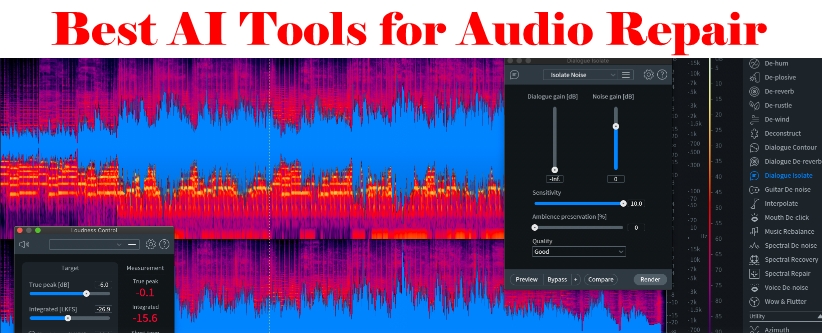
iZotope RX 10 is the industry-standard suite for audio restoration and enhancement, widely recognized for its powerful capabilities. It is particularly useful in post-production for music, film, and broadcasting.
- Features:
- Dialogue Isolate: Separates dialogue from background noise.
- De-noise: Reduces unwanted ambient sounds.
- De-reverb: Minimizes unwanted reverb effects.
- Spectral Repair: Allows for targeted repairs by visualizing audio spectrally.
- Pros:
- Comprehensive toolset for various audio issues.
- Intuitive user interface that accommodates both beginners and professionals.
- High-quality restoration results, making it suitable for critical audio applications.
- Cons:
- Can be resource-intensive, requiring a powerful computer.
- There is a learning curve for mastering advanced features.
- Use Case:
Ideal for post-production in film and music, podcast editing, and restoring historical recordings. - Pricing:
Starts at around $299.
2. Krisp
Overview:
Krisp is a real-time noise-canceling application that enhances audio quality during calls and recordings. It is especially beneficial for remote communication in an increasingly digital workspace.
- Features:
- Background Noise Removal: Eliminates unwanted ambient sounds.
- Echo Cancellation: Reduces echo to improve audio clarity.
- Voice Enhancement: Enhances the quality of the voice being recorded.
- Pros:
- Easy to set up and use; integrates seamlessly with applications like Zoom, Skype, and Slack.
- Operates in real-time, providing immediate feedback.
- Cons:
- Limited to voice audio; not suitable for music or complex soundscapes.
- The free version has limited minutes per week; a subscription may be necessary for heavy users.
- Use Case:
Great for podcasters, remote workers, and interviewers needing clear audio in various environments. - Pricing:
Free version available; paid plans start at $5/month.
3. Soundtheory Gullfoss
Overview:
Soundtheory Gullfoss is an intelligent EQ plugin that automatically analyzes audio and makes real-time adjustments to enhance clarity and balance.
- Features:
- Automatic Frequency Balancing: Adjusts frequencies based on real-time analysis.
- Intuitive Interface: Simple controls for quick adjustments.
- Adaptive EQ Adjustments: Responds dynamically to changes in the audio signal.
- Pros:
- Enhances clarity without the need for extensive manual adjustments.
- Suitable for various audio applications, from music production to broadcast.
- Cons:
- Limited control over specific EQ settings; users may need to supplement with manual adjustments.
- Might not suit every genre or style of music.
- Use Case:
Effective for mixing, mastering, and live sound applications, particularly where clarity is paramount. - Pricing:
Approximately $199.
4. Auphonic
Overview:
Auphonic is an online audio processing tool that employs AI to enhance audio quality automatically, making it ideal for content creators.
- Features:
- Leveling: Balances audio levels across tracks.
- Noise Reduction: Reduces background noise intelligently.
- Encoding Options: Supports various output formats and settings.
- Pros:
- User-friendly interface that simplifies audio processing.
- Saves significant time in post-production for podcasters and video creators.
- Cons:
- Internet dependency; requires a stable connection for processing.
- May require multiple passes for optimal results in challenging audio.
- Use Case:
Perfect for podcasters, content creators, and musicians looking for quick, effective audio enhancements. - Pricing:
Pay-as-you-go credits; free tier available.
5. Descript
Overview:
Descript merges transcription with audio and video editing, offering a unique approach to content creation. This tool is particularly popular among podcasters and video producers.
- Features:
- Audio Repair: Tools for removing unwanted noise and filler words.
- Overdub: Allows users to create a text-based version of their audio.
- Collaboration Tools: Facilitates teamwork with shared projects and edits.
- Pros:
- Intuitive interface that makes editing straightforward.
- Combines audio editing and transcription, reducing overall workflow time.
- Cons:
- Limited to certain audio formats; best suited for specific use cases.
- Some features are behind a subscription paywall.
- Use Case:
Ideal for podcasters, video creators, and journalists who need to streamline their editing processes. - Pricing:
Free version available; paid plans start at $12/month.
6. Cleanvoice AI
Overview:
Cleanvoice AI is designed to clean up voice recordings by removing unwanted sounds, making it an excellent tool for enhancing vocal clarity.
- Features:
- Filler Word Removal: Automatically detects and removes unnecessary words.
- Silence Detection: Identifies and eliminates long pauses in recordings.
- Background Noise Reduction: Improves overall audio quality.
- Pros:
- Efficient and straightforward to use; ideal for busy content creators.
- Offers quick results without extensive manual editing.
- Cons:
- Primarily focused on voice; less effective for complex audio environments.
- Limited to certain use cases and formats.
- Use Case:
Great for podcasters and content creators aiming for cleaner audio recordings without spending too much time on editing. - Pricing:
Subscription-based; pricing varies.
7. Zynaptiq UNVEIL
Overview:
Zynaptiq UNVEIL is a powerful tool designed specifically for removing reverb and ambient noise from recordings.
- Features:
- Real-Time Processing: Adjusts audio on-the-fly, allowing for immediate feedback.
- Intuitive Controls: User-friendly design for easy navigation and adjustment.
- Customizable Settings: Tailors the processing to suit individual needs.
- Pros:
- High-quality reverb reduction that preserves the natural sound.
- Versatile and suitable for various audio applications.
- Cons:
- Requires careful adjustments; not a one-size-fits-all solution.
- May not be effective for all types of audio issues.
- Use Case:
Excellent for music producers, sound designers, and post-production professionals looking to refine their audio quality. - Pricing:
Around $349.
8. Waves Clarity Vx Pro
Overview:
Waves Clarity Vx Pro is an advanced noise reduction plugin that focuses on enhancing vocal clarity in recordings.
- Features:
- Real-Time Noise Reduction: Cleans up audio on the fly.
- Adjustable Settings: Provides customizable options for different environments.
- Easy DAW Integration: Works seamlessly with major digital audio workstations.
- Pros:
- Specifically tailored for vocal clarity; easy to use.
- Quick fixes that can save time during the editing process.
- Cons:
- May require some tweaking for best results; can be resource-heavy.
- Best suited for vocal tracks rather than complex mixes.
- Use Case:
Ideal for voiceovers, podcasts, and vocal tracks in music production needing immediate clarity enhancements. - Pricing:
Approximately $99.
9. Adobe Audition
Overview:
Adobe Audition is a professional audio workstation that provides powerful editing and repair capabilities for audio professionals.
- Features:
- Multitrack Editing: Allows for simultaneous editing of multiple audio tracks.
- Noise Reduction: Advanced algorithms to clean audio effectively.
- Comprehensive Effects: A wide range of audio effects for enhancement and manipulation.
- Pros:
- Robust feature set makes it suitable for various audio production tasks.
- Excellent integration with other Adobe products like Premiere Pro.
- Cons:
- Subscription-based pricing can be costly over time; there’s a learning curve for beginners.
- Can be overwhelming due to its extensive capabilities.
- Use Case:
Widely used for editing and repairing capabilities for audio professionals
10. Acon Digital Multiply
Overview:
Acon Digital Multiply is a unique chorus effect plugin that can also be used for creative audio repairs, adding depth to vocal and instrument tracks.
- Features:
- Chorus Effects: Create rich, layered sounds by duplicating audio.
- Stereo Widening: Enhances stereo image for a more immersive experience.
- Simple Controls: User-friendly interface for quick adjustments.
- Pros:
- Versatile tool that adds creative flair while also being functional for audio repair.
- Lightweight and efficient, not demanding extensive system resources.
- Cons:
- Primarily a creative tool; not a direct substitute for dedicated repair solutions.
- Limited to effects rather than restoration.
- Use Case:
Ideal for music producers looking to enhance their vocal and instrumental recordings creatively. - Pricing:
Approximately $49.
11. Acon Digital Restoration Suite
Overview:
Acon Digital Restoration Suite provides a set of tools aimed at restoring audio quality. While it may not incorporate advanced AI, its algorithms effectively tackle common audio issues.
- Features:
- DeNoise: Reduces noise in recordings.
- DeClip: Repairs clipped audio signals.
- DeHum: Removes hum and buzz from recordings.
- Pros:
- Straightforward to use; effective for both beginners and professionals.
- Affordable compared to other high-end tools.
- Cons:
- Limited feature set compared to more comprehensive solutions.
- May not achieve the same level of quality as AI-driven alternatives.
- Use Case:
Suitable for audio engineers and content creators looking for reliable restoration tools without a steep learning curve. - Pricing:
Approximately $99.
12. Sonnox VoxDenoise
Overview:
Sonnox VoxDenoise is a specialized plugin for reducing background noise from vocal recordings, making it a go-to for voiceover artists and podcasters.
- Features:
- Real-time Processing: Allows for immediate feedback while recording.
- Adaptive Thresholds: Automatically adjusts based on audio input levels.
- Dry/Wet Control: Enables users to blend the processed and original signals.
- Pros:
- Specifically designed for vocal clarity; very effective at isolating voice.
- Easy to integrate into existing workflows with various DAWs.
- Cons:
- May not perform as well on non-vocal recordings.
- Pricing may be on the higher end for individual users.
- Use Case:
Ideal for voiceovers, podcasts, and any audio project where vocal clarity is paramount. - Pricing:
Approximately $199.
In the rapidly evolving landscape of audio production, choosing the right AI tools for audio repair can significantly enhance your workflow and the quality of your projects. From comprehensive suites like iZotope RX 10 to specialized plugins like Sonnox VoxDenoise, there’s a diverse range of options tailored to various needs and budgets.
Each of these AI audio repair tools offers unique features and capabilities, making them suitable for a range of applications—from professional audio engineering to casual podcasting. By selecting the right tool based on your specific needs and budget, you can significantly enhance your audio quality and streamline your workflow.
5: Comparative Analysis of AI Audio Repair Tools
We will conduct a comparative analysis of the AI audio repair tools discussed in the previous chapter. This analysis will focus on performance metrics, pricing structures, user feedback, and the specific use cases where each tool excels. By understanding how these tools stack up against each other, you can make a more informed decision about which one best fits your needs.
1. Functionality Comparison
| Tool | Key Features | Best For |
|---|---|---|
| iZotope RX 10 | Spectral editing, dialogue isolation, noise reduction | Film and music production |
| Krisp | Real-time noise cancellation | Remote communication |
| Soundtheory Gullfoss | Automatic frequency balancing | Mixing and mastering |
| Auphonic | Leveling, noise reduction, encoding options | Podcasters and content creators |
| Zynaptiq UNVEIL | Reverb reduction | Sound designers |
| Adobe Audition | Multitrack editing, comprehensive effects | Professional audio editing |
| Sonible Smart | Intelligent EQ adjustments | Mixing and mastering |
| Sonnox VoxDenoise | Vocal noise reduction | Voiceovers and podcasts |
| Cleanvoice AI | Filler word and silence detection | Podcasters and content creators |
| Acon Digital Restoration Suite | Noise reduction, dehum, declip | General audio restoration |
| Descript | Audio editing with transcription | Journalists and content creators |
| Acon Digital Multiply | Chorus effects for depth | Music producers |
2. Ease of Use Comparison
| Tool | User Interface | Learning Curve |
|---|---|---|
| iZotope RX 10 | Comprehensive but complex | Steeper for beginners |
| Krisp | Simple, intuitive | Minimal |
| Soundtheory Gullfoss | User-friendly interface | Low |
| Auphonic | Straightforward design | Very low |
| Zynaptiq UNVEIL | Intuitive controls | Moderate |
| Adobe Audition | Feature-rich but can be overwhelming | Steep for new users |
| Sonible Smart | Easy to navigate | Low |
| Sonnox VoxDenoise | Simple layout | Low |
| Cleanvoice AI | Straightforward interface | Very low |
| Acon Digital Restoration Suite | Easy to understand | Low |
| Descript | Text-based interface | Moderate |
| Acon Digital Multiply | Simple controls | Low |
3. Pricing Comparison
| Tool | Pricing Model | Approximate Cost |
|---|---|---|
| iZotope RX 10 | One-time purchase | $299 |
| Krisp | Freemium with subscription | Free (limited) / $5/month |
| Soundtheory Gullfoss | One-time purchase | $199 |
| Auphonic | Pay-as-you-go | Variable; free tier available |
| Zynaptiq UNVEIL | One-time purchase | $349 |
| Adobe Audition | Subscription | Starts at $20.99/month |
| Sonible Smart | One-time purchase | $149 |
| Sonnox VoxDenoise | One-time purchase | $199 |
| Cleanvoice AI | Subscription | Variable; pricing varies |
| Acon Digital Restoration Suite | One-time purchase | $99 |
| Descript | Subscription | Starts at $12/month |
| Acon Digital Multiply | One-time purchase | $49 |
4. Target Audience Comparison
| Tool | Ideal Users |
|---|---|
| iZotope RX 10 | Audio professionals in film and music production |
| Krisp | Remote workers and casual users |
| Soundtheory Gullfoss | Mix engineers and producers |
| Auphonic | Podcasters and video creators |
| Zynaptiq UNVEIL | Sound designers |
| Adobe Audition | Professional audio editors |
| Sonible Smart | Mix engineers and music producers |
| Sonnox VoxDenoise | Voiceover artists and podcasters |
| Cleanvoice AI | Podcasters and content creators |
| Acon Digital Restoration Suite | Audio engineers and general users |
| Descript | Journalists and content creators |
| Acon Digital Multiply | Music producers |
This comparative analysis highlights the diverse capabilities of AI audio repair tools. Whether you are a professional seeking comprehensive solutions or a casual user in need of straightforward tools, there is a suitable option available. Tools like iZotope RX 10 and Adobe Audition provide extensive features for advanced users, while Krisp and Auphonic offer accessible solutions for those new to audio editing.
The comparative analysis reveals that while all the tools mentioned have their strengths, the best choice depends on your specific needs, budget, and level of expertise. Whether you’re a seasoned audio engineer or a content creator just starting, understanding these tools’ capabilities will help you make a more informed decision.
6: Tips for Getting the Most Out of Your AI Audio Repair Tool
Choosing the right AI audio repair tool is only the first step in achieving high-quality audio. To maximize the effectiveness of these tools, it’s essential to implement best practices in both audio recording and post-processing. We’ll provide tips to help you optimize your workflow and get the best results from your chosen audio repair software.
1. Start with a Clean Recording
The foundation of high-quality audio begins with the recording process. Here are some tips to ensure your recordings are as clean as possible:
- Choose the Right Environment: Select a quiet space to minimize background noise. Soft furnishings, carpets, and curtains can help absorb sound and reduce reflections.
- Use Quality Equipment: Invest in a good microphone and audio interface. High-quality gear captures better audio, making repair easier. For example, condenser microphones are excellent for voice recording, providing clarity and detail.
- Monitor Levels: Keep an eye on your recording levels. Aim for peaks around -6 dB to -3 dB to avoid clipping while ensuring sufficient signal strength. A YouTube tutorial can help you understand monitoring techniques.
2. Leverage Built-in Presets
Most AI audio repair tools come with built-in presets designed for specific scenarios, such as voiceovers or music mixing. Using these presets can save time and provide a great starting point.
- Explore Presets: Familiarize yourself with the presets available in your tool. For example, the Cleanvoice AI features presets tailored for podcasting, which can help quickly address common issues like background noise.
3. Adjust Settings Based on Context
While presets are useful, fine-tuning settings based on your specific audio context is crucial for achieving optimal results.
- Experiment: Don’t be afraid to tweak settings beyond the presets. For instance, if using iZotope RX’s DeNoise module, adjust the reduction amount to find the perfect balance between noise removal and preserving audio quality.
- Use Spectral Editing: Tools like Zynaptiq UNVEIL and iZotope RX offer spectral editing features. Use these to visualize your audio and manually adjust frequencies, allowing for precise corrections.
4. Utilize Batch Processing
If you have multiple audio files that need similar repairs, batch processing can save you a considerable amount of time.
- Set Up Batch Jobs: In tools like Auphonic and Adobe Audition, set up batch jobs to apply the same processing settings across multiple files. This feature is particularly useful for podcasts with several episodes recorded under similar conditions.
5. Regularly Save and Backup Your Work
Audio editing can be intensive, and software crashes can happen unexpectedly. To avoid losing progress:
- Save Frequently: Develop a habit of saving your work every few minutes. Many DAWs and audio tools offer auto-save features, so enable them if available.
- Backup Your Files: Use cloud storage or external drives to back up your audio files and project files regularly. This ensures you won’t lose valuable work.
6. Educate Yourself on Your Tool’s Capabilities
Take the time to learn the ins and outs of your chosen AI audio repair tool. Many companies provide tutorials, forums, and user manuals that can enhance your understanding and skills.
- Online Resources: Platforms like YouTube and Coursera offer tutorials specific to tools like Adobe Audition and iZotope RX. Engaging with these resources can significantly enhance your proficiency.
7. Listen Critically
After processing your audio, take the time to listen critically to the final product.
- Use Good Headphones: Invest in a quality pair of studio headphones to accurately assess audio quality.
- Take Breaks: Allow your ears to rest between listening sessions. This helps you maintain objectivity when evaluating your audio.
8. Gather Feedback
Sharing your work with peers can provide valuable insights into areas for improvement.
- Peer Reviews: Consider forming a small group with fellow content creators to exchange feedback on audio quality. Constructive criticism can help you refine your techniques.
By implementing these tips, you can maximize the potential of your AI audio repair tool, ensuring your audio recordings are clean, professional, and engaging. Starting with a strong foundation in recording practices, leveraging the power of your tool’s features, and continuously educating yourself will ultimately lead to better audio quality.
7: Future Trends in AI Audio Repair Technology
As technology continues to advance, the landscape of audio repair is evolving rapidly. In this chapter, we will explore some of the most promising trends in AI audio repair technology, examining how these developments could shape the tools and techniques available to audio professionals and content creators in the near future.
1. Enhanced Machine Learning Algorithms
The core of AI audio repair tools lies in their machine learning algorithms, which are constantly improving. As these algorithms become more sophisticated, we can expect several key advancements:
- Greater Accuracy: Future algorithms will likely improve their ability to differentiate between desired audio and unwanted noise, leading to more precise repairs. This means less manual tweaking and faster results for users.
- Adaptability: Machine learning models will evolve to adapt to various audio environments and contexts, providing tailored solutions based on the specific characteristics of each recording.
2. Real-Time Processing Advancements
The demand for real-time audio processing is growing, particularly in live settings and streaming applications. Future tools may incorporate enhanced real-time capabilities that allow for:
- Instant Feedback: As users make adjustments, AI tools will provide instant feedback on how changes affect audio quality. This will empower users to make on-the-fly corrections during recordings or live performances.
- Latency Reduction: Advances in technology will aim to reduce latency, ensuring that users can process audio without noticeable delays, which is crucial in professional settings.
3. Integration of Virtual and Augmented Reality
As virtual and augmented reality (VR/AR) technologies gain traction, there will be a growing need for high-quality audio repair tools that cater to these environments.
- 3D Audio Processing: Future audio repair tools may include features specifically designed for 3D audio environments, enabling creators to manipulate sound spatially and enhance immersive experiences.
- Enhanced Soundscapes: AI could help automate the creation of realistic soundscapes in VR/AR applications, ensuring that audio aligns perfectly with visual elements.
4. Cloud-Based Audio Repair Solutions
The rise of cloud computing is influencing many industries, and audio repair is no exception.
- Collaboration Features: Cloud-based tools will allow multiple users to collaborate on audio projects in real time, enabling seamless sharing and editing across different locations.
- Access to Advanced Processing Power: By leveraging cloud computing, users can access powerful processing capabilities without needing high-end local hardware, making advanced audio repair tools more accessible.
5. User-Centric Interfaces
As more non-technical users enter the audio creation space, the demand for user-friendly interfaces will grow.
- Simplified Workflows: Future tools will likely focus on intuitive design, with guided workflows that help users achieve professional results without extensive technical knowledge.
- AI-Assisted Recommendations: Tools may incorporate AI features that suggest adjustments based on user input and specific audio characteristics, making the repair process more efficient and effective.
6. Greater Customization and Control
As users become more experienced, they often seek greater control over the audio repair process. Future tools may offer:
- Customizable Algorithms: Users could be given the ability to tweak underlying algorithms, allowing for more tailored results based on their preferences or specific audio challenges.
- Advanced Spectral Editing Tools: Improvements in spectral editing capabilities may enable users to manipulate audio frequencies with even greater precision, facilitating complex repairs.
7. Integration with Other Creative Tools
AI audio repair tools will likely become more integrated with other creative software, such as video editing and music production platforms.
- Seamless Workflows: Improved integration will allow users to transfer audio seamlessly between tools, streamlining the editing and mixing process.
- Shared Libraries: Users may benefit from shared libraries of sounds and effects, allowing for a more cohesive creative process across different mediums.
Conclusion
The future of AI audio repair technology holds exciting possibilities that will enhance the capabilities of audio professionals and content creators alike. As machine learning algorithms advance, real-time processing improves, and user-centric designs emerge, the barriers to achieving high-quality audio will continue to diminish. By staying informed about these trends, users can adapt to new tools and techniques, ensuring their audio remains at the forefront of quality and innovation.
8: Key Takeaways and Best Practices for Audio Repair
As we conclude this guide, it’s essential to recap the most important insights and best practices for utilizing AI audio repair tools effectively. Whether you’re a seasoned audio engineer or a budding creator, understanding these principles will help you achieve the highest audio quality possible.
1. Understand Your Needs
Before choosing an AI audio repair tool, clearly define your audio repair needs:
- Identify Common Issues: Determine whether you typically deal with noise, distortion, reverb, or other audio problems. This will guide you in selecting a tool that specializes in your areas of concern.
- Evaluate Your Skill Level: Consider your technical expertise. Some tools are designed for professionals, while others are more user-friendly for beginners.
2. Start with Quality Recordings
The quality of your initial recordings significantly impacts the effectiveness of any audio repair efforts:
- Minimize Background Noise: Choose quiet environments for recording and use high-quality microphones to capture clean audio. Techniques like soundproofing and proper mic placement can make a substantial difference.
- Monitor Levels Carefully: Aim for optimal recording levels to prevent clipping and distortion, allowing for easier post-processing.
3. Leverage the Power of AI
AI tools can significantly enhance your audio repair process:
- Utilize Presets: Familiarize yourself with built-in presets and apply them as starting points to expedite your workflow.
- Experiment with Settings: Don’t hesitate to adjust parameters beyond presets to tailor the audio to your specific needs.
4. Adopt Best Practices in Editing
Effective editing practices can elevate the quality of your audio:
- Use Batch Processing: When dealing with multiple files, utilize batch processing to save time while maintaining consistency in audio repair.
- Incorporate Spectral Editing: Take advantage of spectral editing capabilities to isolate and address specific frequencies for more precise repairs.
5. Stay Informed and Educated
Continuous learning is key to mastering audio repair:
- Explore Tutorials: Use online resources, such as video tutorials and courses, to deepen your understanding of your chosen tools. Websites like YouTube and Coursera are excellent places to start.
- Participate in Communities: Engage with audio production communities and forums to share experiences and learn from others in the field.
6. Gather Feedback and Iterate
Feedback is invaluable in improving your audio work:
- Peer Reviews: Share your audio projects with trusted colleagues or friends for constructive criticism. Their insights can help you identify areas for improvement.
- Listen Critically: After processing, listen to your audio multiple times, taking notes on any adjustments needed. Allow breaks to maintain objectivity.
7. Embrace Future Technologies
Stay ahead of the curve by being aware of emerging trends in audio repair technology:
- Keep an Eye on Innovations: Follow developments in AI algorithms, real-time processing, and cloud-based solutions to ensure you’re using the best available tools.
- Explore New Features: As tools evolve, take time to explore new features that may enhance your workflow or audio quality.
Effective audio repair requires a combination of the right tools, best practices, and continuous learning. By understanding your specific needs, starting with quality recordings, and leveraging the power of AI, you can significantly enhance your audio projects.
9: Resources for Further Learning and Exploration in Audio Repair
To enhance your skills in audio repair and stay updated on the latest advancements in the field, it’s essential to utilize available resources. This chapter will outline valuable tools, websites, online courses, books, and communities where you can further your education and refine your audio repair techniques.
1. Online Courses and Tutorials
Investing time in structured learning can accelerate your understanding of audio repair tools and techniques. Here are some excellent platforms:
- Coursera: Offers courses on audio engineering and production from universities and industry experts. Courses such as “Music Production” and “Introduction to Music Production” can provide foundational knowledge.
- LinkedIn Learning: Features a variety of courses focused on specific audio repair tools, such as iZotope RX and Adobe Audition. Check out their course catalog for targeted learning.
- YouTube: An invaluable resource for free tutorials and walkthroughs. Channels like iZotope and Point Blank Music School offer comprehensive guides on audio repair techniques.
2. Books and Literature
Books can provide in-depth knowledge and theoretical insights into audio repair and production:
- “The Art of Music Production” by Richard James Burgess: This book covers various aspects of music production, including audio repair, mixing, and mastering.
- “Mixing Secrets for the Small Studio” by Mike Senior: A practical guide that offers tips and techniques for mixing and repairing audio in a home studio environment.
- “Mastering Audio: The Art and the Science” by Bob Katz: This book provides insights into the mastering process, including techniques for cleaning and enhancing audio quality.
3. Forums and Online Communities
Engaging with communities of like-minded individuals can be a great way to learn and share experiences:
- Gearslutz (now known as Gearspace): A forum dedicated to audio professionals, offering discussions on gear, techniques, and troubleshooting.
- Reddit: Subreddits such as r/audioengineering and r/WeAreTheMusicMakers are great places to ask questions, share work, and gain insights from other audio enthusiasts.
- Facebook Groups: Many groups focus on audio production and repair, such as “Audio Engineers” and “Music Production.” Joining these communities can provide real-time feedback and support.
4. Podcasts and Webinars
Listening to industry professionals discuss their experiences can offer unique insights:
- “The Mastering Show”: A podcast that delves into mixing and mastering techniques, often featuring guests who share their expertise in audio repair.
- “Sound Advice”: This podcast covers various topics related to audio production and can provide valuable tips for improving your audio skills.
- Webinars from Software Companies: Keep an eye on webinars hosted by companies like iZotope and Acon Digital. They often cover new features and best practices for using their tools effectively.
5. Trial Software and Demos
Many audio repair tools offer trial versions, allowing you to explore their capabilities before committing to a purchase:
- iZotope RX: Offers a free trial, enabling users to experience its extensive features firsthand.
- Adobe Audition: Available through a free trial as part of the Adobe Creative Cloud, giving users access to its powerful audio editing features.
6. Local Workshops and Networking Events
If possible, consider attending local workshops, conferences, or networking events focused on audio production:
- AES (Audio Engineering Society): Hosts conferences and events globally where professionals share knowledge and best practices.
- Local Colleges/Universities: Many institutions offer workshops or short courses in audio production, providing hands-on experience and direct feedback from instructors.
By leveraging these resources, you can deepen your understanding of audio repair, keep abreast of industry trends, and continuously refine your skills. Whether you prefer structured learning through courses and books or engaging with communities and hands-on workshops, there are countless opportunities to enhance your expertise.
10: Case Studies: Success Stories in Audio Repair
To illustrate the real-world impact of AI audio repair tools, this chapter presents case studies showcasing how various individuals and organizations have successfully utilized these technologies. These success stories highlight the transformative power of AI in addressing common audio challenges, ultimately leading to enhanced audio quality and creative outcomes.
1. Case Study: Podcasting Success with Waves Clarity Vx Pro
Background: A small podcast production team faced challenges with background noise and inconsistent audio quality in their recordings. With a growing audience, they needed a reliable solution to improve their audio without sacrificing production time.
Solution: The team adopted the Waves Clarity Vx plugins.
Implementation:
- The team used the DeNoise tool to clean up background sounds from recordings made in less-than-ideal environments, such as coffee shops and busy offices.
- They applied the Reverb Removal tool to enhance voice clarity, ensuring that conversations felt more intimate and direct.
Results:
- The podcast’s audio quality improved significantly, leading to a 40% increase in listener retention rates.
- Positive feedback from their audience emphasized the clearer audio, which allowed for a more engaging listening experience.
Conclusion: This case underscores how AI audio repair tools can empower content creators to overcome environmental challenges, enhancing the overall quality of their productions.
2. Case Study: Film Production with iZotope RX
Background: An independent film production faced difficulties with audio captured during location shoots, including unwanted ambient noise and dialogue distortion. The tight budget limited their ability to reshoot scenes.
Solution: The sound engineer utilized iZotope RX for its comprehensive suite of restoration tools.
Implementation:
- The Dialogue Isolate feature was used to extract clean dialogue from noisy backgrounds.
- The De-reverb module helped reduce echo from indoor scenes, making conversations clearer.
- Final mixing involved using the EQ and Denoise features to ensure a polished final product.
Results:
- The film received praise for its professional sound quality at a local film festival, contributing to its success in attracting a wider audience.
- The team was able to submit the film to additional festivals, enhancing its visibility and opportunities for distribution.
Conclusion: This case demonstrates the effectiveness of using advanced audio repair tools in film production, where high-quality audio is critical to storytelling and audience engagement.
3. Case Study: Music Production with Audionamix XTRAX Stems
Background: A music producer wanted to remix a classic track but faced challenges due to the original mix containing overlapping vocals and instruments.
Solution: The producer turned to Audionamix XTRAX Stems for its stem separation capabilities.
Implementation:
- Using the software, the producer isolated vocals and instrumental tracks from the original mix, allowing for greater flexibility in the remix process.
- They added new elements and effects without the constraints of the original mix.
Results:
- The remix garnered significant attention on streaming platforms, leading to a feature on major playlists and an increase in followers on social media.
- The producer reported a 30% increase in streaming revenue from the track compared to their previous releases.
Conclusion: This case illustrates how advanced audio repair technology can open up creative possibilities in music production, allowing artists to reinvent classic tracks for modern audiences.
4. Case Study: Academic Research with Cedar Studio
Background: An academic institution specializing in archival audio faced challenges with the preservation of deteriorating recordings from historical events, often plagued by noise and distortion.
Solution: They implemented Cedar Studio, renowned for its advanced restoration capabilities.
Implementation:
- The restoration team utilized the Noise Reduction and De-click modules to clean up archival recordings without compromising the authenticity of the audio.
- They also employed the spectral editing tools to visually identify and repair specific issues in the recordings.
Results:
- The institution successfully preserved several critical recordings, which were then made accessible for research and educational purposes.
- The quality of restored audio enhanced the impact of documentaries produced by the institution, increasing public interest in historical content.
Conclusion: This case highlights the significance of audio repair technology in preserving cultural heritage and facilitating academic research, ensuring that important recordings are accessible for future generations.
Conclusion
These case studies illustrate the diverse applications and transformative power of AI audio repair tools across various fields, including podcasting, film production, music remixing, and archival preservation. By leveraging advanced technology, individuals and organizations have successfully addressed common audio challenges, leading to enhanced quality and increased audience engagement.
As you explore your own audio repair journey, consider these success stories as inspiration for how you can apply similar strategies to overcome your unique challenges. The potential for innovation and improvement in your audio projects is boundless with the right tools and techniques.
11: Overcoming Common Audio Repair Challenges
Even with advanced AI audio repair tools, users may encounter specific challenges that require thoughtful solutions. In this chapter, we will explore common audio repair issues, strategies for overcoming them, and best practices to ensure optimal results.
1. Challenge: Excessive Background Noise
Overview: Background noise can detract from the quality of recordings, especially in environments where control over sound is limited.
Solutions:
- Use Noise Reduction Tools: Tools like iZotope RX’s DeNoise can effectively reduce constant background noise. Set appropriate thresholds to balance noise reduction without compromising audio quality.
- Apply High-Pass Filters: To remove low-frequency rumble, consider using high-pass filters available in most audio editing software.
Best Practices:
- Always perform noise reduction in a way that preserves the integrity of the original audio. Avoid over-processing, which can lead to artifacts.
- Conduct a thorough listening session after noise reduction to ensure the audio sounds natural.
2. Challenge: Distorted Audio
Overview: Distortion can occur during recording due to high input levels or poor equipment.
Solutions:
- Use De-Clipper Tools: Tools like iZotope RX’s De-clip can help repair clipped audio. This tool reconstructs the waveform to restore missing information.
- Dynamic Range Compression: Applying gentle compression can sometimes help smooth out the harshness of distortion.
Best Practices:
- Capture audio at appropriate levels to prevent distortion from the outset. Aim for peaks around -6 dB to -3 dB during recording.
- If distortion is present, try to isolate the affected sections for targeted repair rather than applying fixes to the entire track.
3. Challenge: Unwanted Reverb
Overview: Excessive reverb can make recordings sound muddy and distant, particularly in live recordings or poor acoustics.
Solutions:
- Reverb Removal Tools: Utilize tools like Zynaptiq UNVEIL or iZotope RX’s De-reverb to minimize unwanted reflections. Adjust settings carefully to retain the natural sound of the audio.
- Spectral Editing: In some cases, using spectral editing tools to manually remove reverb from specific sections can yield better results.
Best Practices:
- Evaluate the reverb characteristics before applying a blanket solution. Different recordings may require different approaches.
- When recording, consider using close miking techniques to reduce the impact of room acoustics.
4. Challenge: Misaligned Tracks
Overview: In music production, misaligned tracks can lead to phasing issues and a disjointed listening experience.
Solutions:
- Use Time Alignment Tools: Many DAWs have built-in features for time-aligning tracks. Use these to ensure that all elements of a mix are synchronized.
- Manual Adjustments: For precision, manually adjust the timing of specific audio clips to ensure they align correctly.
Best Practices:
- When recording multiple instruments or vocals, use a click track to maintain consistent timing.
- Always double-check track alignment during the mixing phase, especially in layered recordings.
5. Challenge: Ineffective Spectral Editing
Overview: Spectral editing can be powerful but may also be overwhelming, leading to unsatisfactory results if misused.
Solutions:
- Start with Presets: Use presets available in tools like iZotope RX to gain a better understanding of how to adjust parameters effectively.
- Take Small Steps: Make incremental adjustments to avoid over-processing. It’s easier to adjust than to undo excessive changes.
Best Practices:
- Use visual feedback from spectral displays to guide your editing. Look for unwanted frequencies that stand out and address them specifically.
- Always compare processed audio with the original to ensure you’re enhancing, not degrading, the quality.
Navigating common audio repair challenges requires a combination of the right tools, techniques, and best practices. By understanding these challenges and employing effective strategies, you can improve the quality of your audio projects significantly.
12: Conclusion
As we wrap up this exploration of AI audio repair tools, it’s clear that these technologies have transformed the landscape of audio production, making it more accessible and efficient for creators at all levels. From podcasting and film production to music remixing and archival preservation, the ability to enhance audio quality and address common challenges has never been more attainable.
Key Takeaways
- Understanding Tools and Techniques: Familiarity with various AI audio repair tools, such as iZotope RX, Cleanvoice AI, and others, empowers you to tackle specific audio challenges effectively. Each tool offers unique features that can cater to different needs.
- Best Practices Matter: Starting with quality recordings, utilizing presets, and engaging in continuous learning are foundational practices that can significantly improve your audio outcomes. By applying these principles, you enhance both the efficiency and effectiveness of your audio repair efforts.
- Stay Updated on Trends: The audio industry is evolving, with advancements in machine learning, real-time processing, and cloud solutions shaping the future. Keeping an eye on these trends will help you adapt and leverage new technologies for even better results.
- Real-World Applications: The case studies highlighted in this guide demonstrate the real impact of effective audio repair, showcasing how individuals and organizations have successfully navigated challenges to achieve remarkable audio quality.
- Ethical Considerations: As you utilize these tools, remember the ethical implications of audio repair, including the importance of authenticity and integrity in your work. Being mindful of these responsibilities will enhance your credibility as a creator.
Final Thoughts
Embracing AI audio repair technologies opens up a world of possibilities for enhancing your audio projects. Whether you’re refining the clarity of a podcast, restoring historical recordings, or remixing music tracks, these tools can help you achieve professional results that engage and resonate with your audience.
As you continue your journey in audio production, remain curious, keep experimenting, and seek out resources to further your skills. The path to mastering audio repair is ongoing, and the more you invest in learning and applying new techniques, the more rewarding your audio creations will become.
Thank you for joining us on this exploration of AI audio repair tools. Here’s to your success in creating exceptional audio experiences!