

Best Online Quiz Maker Tools
I. Introduction
In the digital age, online quiz maker tools have emerged as powerful assets in education, business, and marketing. These versatile platforms enable users to create engaging, interactive assessments that can be distributed globally with just a few clicks. From classroom pop quizzes to corporate training assessments and viral marketing campaigns, online quiz makers have transformed the way we measure knowledge, engage audiences, and collect valuable data.
The surge in popularity of these tools is not just a trend but a reflection of the broader shift towards digital learning and engagement. According to a report by MarketsandMarkets, the global e-learning market size is expected to grow from $200.36 billion in 2021 to $457.8 billion by 2026, with a compound annual growth rate (CAGR) of 16.3% [1]. This remarkable growth is partly fueled by the increasing adoption of online quiz and assessment tools across various sectors.
The importance of online quiz maker tools extends far beyond traditional education:
- In the corporate world, 72% of organizations believe that e-learning, including online quizzes, gives them a competitive advantage [2]. This statistic underscores the role of these tools in employee training, skill assessment, and professional development.
- In academic settings, 67% of students report that educational technology, such as online quizzes, increases engagement with course material [3]. This increased engagement can lead to improved learning outcomes and retention of information.
- For marketers, interactive content like quizzes has proven to be a goldmine for lead generation. Marketing quizzes can generate conversion rates as high as 50%, making them invaluable tools in a digital marketer’s arsenal [4].
As we delve deeper into the world of online quiz maker tools, we’ll explore the various types available, from free and accessible options to sophisticated paid platforms. We’ll also examine the key features to consider when choosing a quiz maker, ensuring you can select the tool that best fits your specific needs. Whether you’re an educator looking to boost student engagement, a business owner aiming to enhance training programs, or a marketer seeking to generate leads, understanding the landscape of online quiz maker tools is crucial in today’s digital-first world.
II. Types of Online Quiz Maker Tools
The world of online quiz maker tools is diverse, offering solutions for a wide range of needs, budgets, and technical expertise levels. As the demand for these tools has grown, so too has the variety of options available. Understanding the different types of quiz makers can help you navigate this landscape and choose the tool that best aligns with your goals, whether you’re creating a simple classroom quiz or a complex corporate assessment.
In this section, we’ll explore three main categories of online quiz maker tools: free tools, paid tools, and open-source options. Each category has its own set of advantages and potential limitations, catering to different user requirements and use cases.
Free tools often serve as an excellent entry point for those new to online quiz creation or those working with limited budgets. Paid tools, on the other hand, typically offer more advanced features and customization options, making them suitable for professional or large-scale use. Open-source options provide flexibility and customization possibilities for users with technical expertise or specific integration needs.
As we examine each type, we’ll consider their typical features, use cases, and provide examples of popular tools in each category. We’ll also look at relevant statistics that highlight the adoption and impact of these different types of quiz makers in various sectors.
By the end of this section, you’ll have a clear understanding of the options available in the online quiz maker landscape, setting the stage for a more detailed exploration of the key features to look for when selecting the right tool for your needs.
A. Free Tools
Free online quiz makers are an excellent starting point for educators, small businesses, or individuals looking to create basic quizzes without financial investment.
Examples:
- Google Forms: While not exclusively a quiz maker, Google Forms offers a free and user-friendly platform for creating simple quizzes.
- Kahoot!: A popular game-based learning platform that offers a free basic plan for creating engaging quizzes.
Statistics:
- Kahoot! reported over 200 million players in 2020, with a 290% year-over-year growth in distance learning game plays [5].
B. Paid Tools
Paid quiz maker tools often offer more advanced features, better analytics, and increased customization options.
Examples:
- Quizizz: Offers both free and paid plans, with the paid version providing additional features for educators and businesses.
- Typeform: Known for its sleek design and versatility, Typeform offers quiz-making capabilities along with other form types.
Statistics:
- The global assessment services market, which includes online quiz tools, is projected to reach $11.47 billion by 2026, growing at a CAGR of 7.5% [6].
C. Open-source Options
Open-source quiz maker tools provide flexibility and customization options for users with technical expertise.
Examples:
- TCExam: An open-source computer-based assessment system that can be self-hosted.
- Moodle: While primarily a learning management system, Moodle includes robust quiz-making features and is open-source.
Statistics:
- Moodle is used by over 213 million users across 241 countries, demonstrating the widespread adoption of open-source e-learning tools [7].
The choice between these types of quiz maker tools depends on factors such as budget, technical expertise, and specific feature requirements. As we move forward, we’ll explore the key features to look for in these tools, helping you make an informed decision for your quiz-making needs.
III. Key Features to Look for
Selecting the right online quiz maker tool can significantly impact the effectiveness of your quizzes and the overall user experience for both quiz creators and participants. With a myriad of options available, understanding the key features to look for is crucial in making an informed decision. These features can enhance the quiz creation process, improve engagement, provide valuable insights, and integrate seamlessly with your existing workflows.
In this section, we’ll dive deep into five essential feature categories that should be on your radar when evaluating online quiz maker tools:
- User Interface and Ease of Use
- Question Types Supported
- Customization Options
- Analytics and Reporting
- Integration Capabilities
Each of these feature categories plays a vital role in the functionality and effectiveness of a quiz maker tool. A user-friendly interface ensures that creating quizzes is a smooth and efficient process, while a diverse range of question types allows for more engaging and varied assessments. Customization options enable you to tailor the look and feel of your quizzes to match your brand or specific needs. Robust analytics and reporting features provide valuable insights into quiz performance and participant behavior. Lastly, integration capabilities ensure that your quiz maker tool can work harmoniously with your existing tech stack.
As we explore each of these feature categories, we’ll discuss why they’re important, what to look for specifically, and provide examples of tools that excel in each area. We’ll also include relevant statistics that demonstrate the impact of these features on user engagement, learning outcomes, and overall effectiveness of online quizzes.
By the end of this section, you’ll have a comprehensive understanding of the key features that can make or break an online quiz maker tool. This knowledge will empower you to choose a tool that not only meets your current needs but also has the potential to grow with your future requirements, whether you’re using quizzes for educational purposes, corporate training, or marketing efforts.
A. User Interface and Ease of Use
A user-friendly interface is crucial for efficient quiz creation and management.
Key considerations:
- Intuitive navigation
- Drag-and-drop functionality
- Mobile responsiveness
Statistics:
- 79% of users will search for another site to complete their task if they find a website isn’t easy to use [8].
B. Question Types Supported
Diverse question types allow for more engaging and effective quizzes.
Common question types:
- Multiple choice
- True/False
- Short answer
- Fill in the blank
- Matching
- Ranking
Example: Formative supports 17 different question types, including audio and video responses.
C. Customization Options
Customization features allow users to brand their quizzes and tailor them to specific needs.
Important customization options:
- Themes and color schemes
- Custom logos and branding
- Timer settings
- Feedback customization
Statistics:
- Personalized learning experiences, which include customized quizzes, can lead to a 20% improvement in student engagement [9].
D. Analytics and Reporting
Robust analytics help in understanding quiz performance and participant behavior.
Key analytics features:
- Individual and group performance tracking
- Question-level analysis
- Exportable reports
- Real-time results
Example: Quizalize offers detailed analytics that help teachers identify knowledge gaps and adjust their teaching strategies accordingly.
E. Integration Capabilities
Integration with other tools and platforms enhances the functionality and reach of online quizzes.
Popular integrations:
- Learning Management Systems (LMS)
- Customer Relationship Management (CRM) tools
- Social media platforms
- Video conferencing software
Statistics:
- 83% of educational institutions use a learning management system, making LMS integration a crucial feature for quiz maker tools in education [10].
As you evaluate different online quiz maker tools, consider which of these features are most important for your specific needs. The right combination of features can significantly enhance the effectiveness of your quizzes, whether for educational purposes, corporate training, or marketing efforts.
The best online quiz software – comparison
We are presenting here the best quizz software tools. we will introduce them, detail their features, disscuss pros/cons, and pricing.
#1 – Woorise
Woorise is the best online quiz maker for most users, particularly if your goal is to generate leads. We love how easy it is to use.
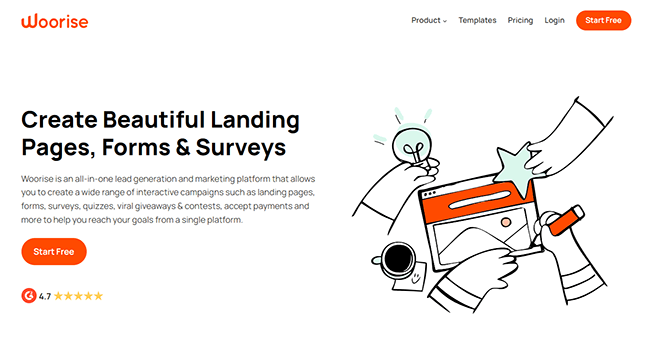
To create your first quiz, you just sign up and click Add New Campaign. You’ll then be brought to the template library, where you’ll find dozens of fully customizable, pre-built, campaign-specific landing pages.
There are six pre-built quiz templates including a trivia quiz, geography quiz, personality quiz, etc.
I particularly like the product recommendation quiz template—it’s great for ecommerce sites. You ask a series of questions and recommend a suitable product based on the user’s answers. Not only does this help generate leads, but also boosts conversions and delivers a more engaging, personalized shopping experience.
All quiz templates can be fully customized in a simple drag-and-drop editor before publishing. The drag-and-drop editor is built on WordPress so, if you’re familiar with the WordPress page builder, you’ll find it a cinch to work with.
Aside from quizzes, you can also use Woorise to build and manage other types of lead generation campaigns including viral giveaways, surveys, forms, and landing pages.
Key features
- Multiple supported quiz types. Create all sorts of quizzes including personality quizzes, graded quizzes, multiple-choice quizzes, and more.
- Drag-and-drop quiz maker. Start from scratch or choose a template and customize it in the drag-and-drop quiz builder.
- Send quiz results by email. Set up automated email notifications to send quiz takers their grades/results after they submit their entry
- Flexible quiz publishing. Publish your quizzes to a subdomain or on your own domain as a landing page, pop-up, email, etc.
- Other lead generation campaigns. Generate even more leads with giveaways, contests, polls, surveys, and more.
- Payments. Create checkout pages and order forms, and connect Woorise to a payment provider to accept payments.
Pros and cons
Pricing
Paid plans start from $23/month. Try for free for 14 days.
#2 – Outgrow
Outgrow is a powerful quiz maker that supports a larger variety of interactive content types. You can use it to build quizzes, as well as assessments, polls, calculators, forms/surveys, giveaways, and even chatbots.
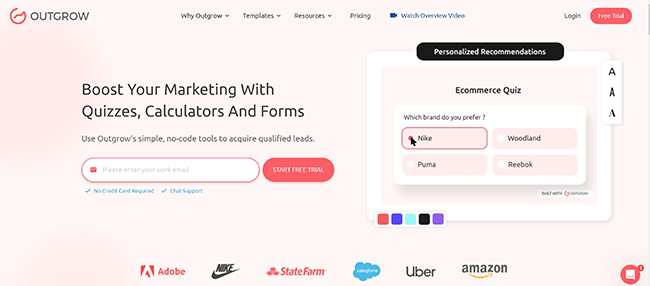
We found Outgrow a little harder to use than Woorise. However, once you get the hang of it, it’s much more advanced and flexible.
It comes with over 35 pre-built quiz templates to choose from, and they all look great. You can customize any template, or if you prefer, start from scratch in the no-code editor.
I like that you can personalize quizzes with conditional messaging and take advantage of advanced features like outcome mapping and Logic Jump to send users down different paths depending on their answers.
I also really like the social sharing feature, which you can turn on to add social media widgets to the end of your quizzes to boost their virality.
My favorite feature, though, has to be the AI quiz generator. With it, you can generate an entire quiz—complete with a welcome screen, questions/answers, outcome screen, etc.—from scratch in under a minute. All you have to do is answer some questions about your industry, target audience, goals, keywords, etc. and Outgrow’s AI will do the rest.
Key features
- Drag-and-drop quiz builder. Make interactive quizzes as well as things like giveaways, forms, calculators, polls, and chatbots in an intuitive drag-and-drop editor.
- Quiz templates. Templates for different types of quizzes like trivia quizzes, Kahoot game-based quizzes, Buzzfeed-style quizzes, personality tests, product recommendation quizzes, and more.
- SEO features. Optimize your quizzes around target keywords to help them rank on Google.
- Advanced logic & personalization features. Conditional logic, outcome mapping, conditional CTAs and results pages, if/else and nested if statements, etc.
- AB testing. Run experiments to compare two different versions of your quizzes and use the one that performs best
- Quiz publishing. Choose how you want your quiz to appear when published (i.e. full-page, pop-up, in-chat, etc.) and easily embed it on your site.
Pros and cons
Pricing
Plans start from $22/month and save up to 44% when you pay yearly. Get started with a 7-day free trial.
#3 – Interact
Interact is one of the best online quiz maker tools for marketers. It has one of the best template libraries of any tool we’ve tried, but it’s not quite as affordable as some of its competitors.
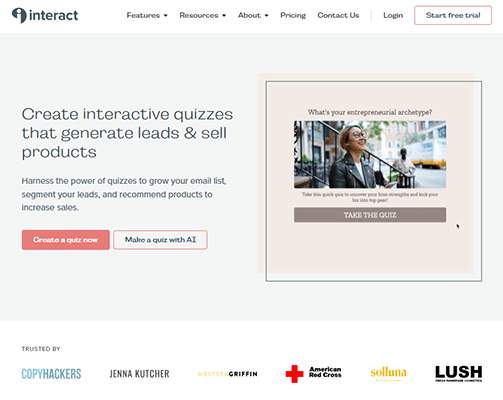
With Interact, you can choose from hundreds of fully customizable, conversion-focused quiz templates. A lot of other tools just give you a dozen or so; Interact gives you 800+ sorted by niche, and they’re all great. It’s mostly Buzzfeed-style category quizzes but there are other types too.
You can customize all templates with your own questions, answers, colors, fonts, images, logos, URLs, etc. When you’re done, publish it to a hosted Interact domain or use integrations to share it on your website.
Analytics give you an overview of how your quiz is performing, including insights into how leads answer different questions, as well as conversion rates, completions, starts, views, etc. You can also view advanced insights with aggregated audience data and drop-off graphs. Plus, use the Google Analytics integration to gather data on where your quiz takers are referred from.
You can download the emails of leads you collect through your Interact quizzes, or automatically send them to your other marketing tools via 30+ native integrations.
Key features
- Manual & AI quiz makers. Create your quiz from scratch or build one quickly with the AI-powered writing tool.
- Template library. Choose from 800+ pre-built templates and then customize them.
- Customizable results pages. Create/customize the results pages for your quizzes.
- Branching logic. Use a drag-and-drop logic builder to map out your quiz and personalize questions for each quiz taker based on their previous answers.
- GDPR compliant. The quizzes you can make with Interact are compliant with GDPR.
- Analytics. Find out how users interact with your quiz and gather useful insights to inform your strategy.
Pros and cons
Pricing
Plans start from $39/month, save up to 40% when you pay yearly. Get started with a 14-day free trial.
#4 – Thrive Quiz Builder
Thrive Quiz Builder is a good choice if you want to build your quizzes in WordPress. It’s a dedicated WordPress quiz maker plugin with some advanced features that users will appreciate.
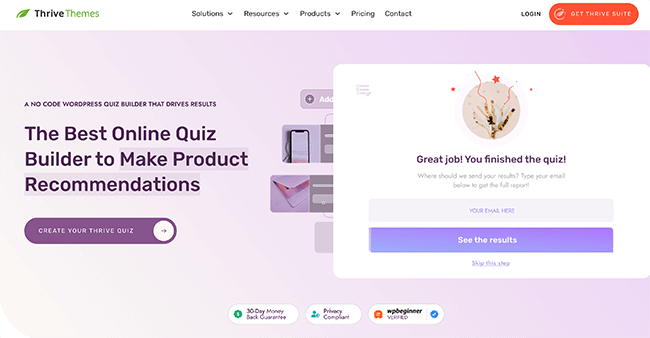
To start making quizzes with Thrive, you’ll first need to install and activate the plugin. Then, open it up in your WordPress dashboard, and either choose a template or opt to start from scratch.
From there, it’ll walk you through the process of making the quiz. It’s super easy and there’s lots of neat stuff you can do.
One cool feature that Thrive Quiz Builder comes with is Badges. You can reward them to participants who receive a certain score on your quiz, and encourage them to share them on social media to boost your quiz’s virality.
Key features
- WordPress quiz maker. Create and publish from inside your WordPress dashboard thanks to the native WP plugin.
- Goal-based quiz templates. There are three templates to choose from based on your marketing goals: List Building, Social Shares, and Gain Customer Insights.
- Evaluation options. Choose how you want the quiz to be evaluated for example, with a percentage score, numbered score, category result, etc.
- Workflow builder. Visualize how your quiz flows and how each question links together in a visual workflow builder (you can send users down different paths based on the answers they give).
- Badge creator. Create badges that people will want to share on social and distribute them as rewards for completing your quiz
Pros and cons
Pricing
Plans start from $149 billed quarterly, but you can save $300 when you pay yearly. 30-day money-back guarantee available.
#5 – Riddle
Riddle has a steep starting price, but it’s one of the only quiz makers that has no usage caps—all plans include unlimited views and leads.
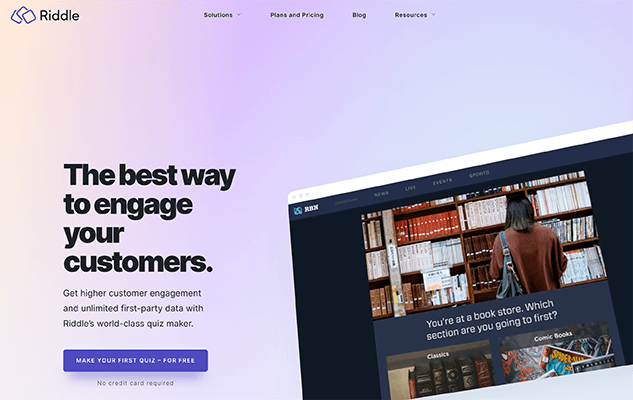
A lot of other quiz builders make you pay more for more leads. So while Riddle is expensive on the surface, it might work out to be the best value for money if you expect to generate thousands of leads every month.
Riddle lets you add more varied types of multimedia content to your quizzes than most other quiz makers too, including things like GIFs, audio files, MP4 videos, images, etc. And I like that you can add timers to your quizzes to gamify them and create that sense of jeopardy that boosts engagement.
You also have more flexibility when it comes to the design of your quiz pages. Everything is customizable in the appearance editor, and quizzes are fully white-labeled.
Key features
- Visual content creator. Create quizzes, giveaways, and more in a no-code content builder.
- Embed code. Publish your quizzes to any website by copying/pasting a code snippet, or just use the WordPress plugin
- Lead generation. Collect leads throughout your quizzes in bits or all at once.
- Integrations. Send your leads and their quiz responses to all your favorite tools with dozens of native integrations.
- Email alert. Get notified whenever a new lead completes your quiz
- Video questions. Add a video from YouTube or Vimeo to any question or answer in your quiz
- Quiz timers. Gamify your quizzes by adding a countdown timer
Pros and cons
Pricing
Plans start from $69/month, and save up to 29% with yearly billing. Get started with a 14-day free trial.
#6 – LeadQuizzes
LeadQuizzes is another one of the best tools for creating quizzes on the market. It comes with everything you need to create engaging quizzes and online tests in one place.
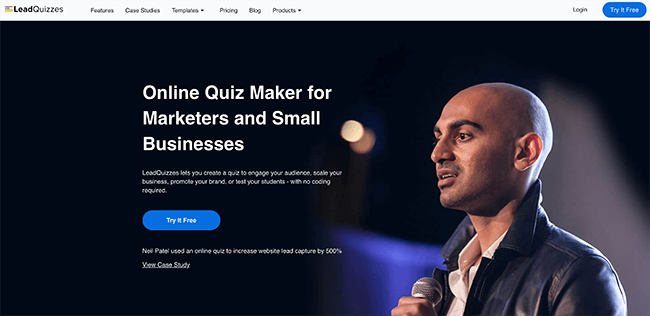
I like that with LeadQuizzes, you create and customize everything in one content builder: The start screen, quiz questions and answers, and results page. A lot of other tools make you customize each of the above separately, but I find this way a lot simpler.
You can choose between various quiz types, including personality quizzes, multiple choice, trivia, and true/false quizzes. Plus, utilize branching logic to show specific questions or results based on respondents’ answers.
Once you’ve built a quiz, you can host it on LeadQuizzes’ servers or your site. And you have full control over how/when your quiz appears when published.
LeadQuizzes offers a built-in analytics tool, but it could be better. Real-time insights track things like views, contacts, completion rates, and responses, but not much else.
Key features
- Simple quiz builder. Create and customize all your quiz pages in one simple and intuitive editor
- Template library. Choose from 75+ pre-made quiz templates to get started quickly, and then customize them in the drag-and-drop builder
- Hosted URLs. The quizzes you build with LeadPages can be hosted on LeadQuizzes’ own servers, or you can embed them on your own website.
- Customized email results. Send out quiz results by email to collect leads, and customize them for recipients.
- Analytics. View how your quizzes are performing from the analytics dashboard, or dive deeper with a breakdown of individual quiz responses
Pros and cons
Pricing
Plans start from $49/month and save up to 25% with yearly billing. Get started with a 14-day free trial.
#7 – Jotform
Jotformis advertised as a form builder that requires no coding, but it may also be used to create online tests. To convert your forms into quizzes with displayed/emailed results, incorrect/correct response notifications, etc., simply use the Quiz Form functionality.
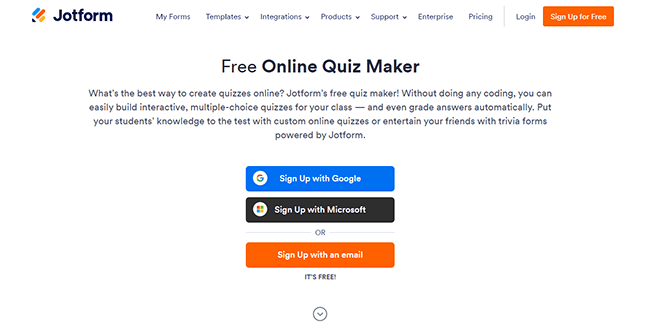
Jotform’s template collection contains hundreds of templates, 175 of which are quiz templates. Multiple-choice, essay-style, fill-in-the-blank, true-or-false, and picture quizzes are just a few of the many quiz formats addressed.
After selecting a template, you can use the robust yet user-friendly form builder to alter the questions, layout, design, and other elements. With just a few clicks, you can then share or embed the form on your website.
Conditional logic is supported by Jotform, allowing you to customize your tests based on user feedback. Additionally, there is a substantial free plan that allows for up to 100 entries every month.
The quiz templates themselves are a touch dated-looking, which is my biggest complaint. They’re typically just plain white web pages with black text and form fields, but you can always tweak them to make them more exciting.
Key features
- Quiz Forms. Turn the forms you build with Jotform into interactive quizzes with the Quiz Form feature.
- Template library. Choose from thousands of templates, including 175 specifically for online quizzes.
- Auto-grading. Automatically grade quiz takers based on their answers and serve up results
- Conditional logic. Show and hide form fields based on conditional logic to personalize the quiz experience for each user
- Form Analytics. View quiz responses and analyze all the important data from the built-in Form Analytics feature.
- Mobile app. Turn your quiz into a mobile app that users can download to any device.
Pros and cons
Pricing
Free plan available. Paid plans start from $39/month, and save up to 20% with yearly billing.
#8 – Typeform
Typeform is another tool that’s primarily for building forms but can also be used to create online quizzes.
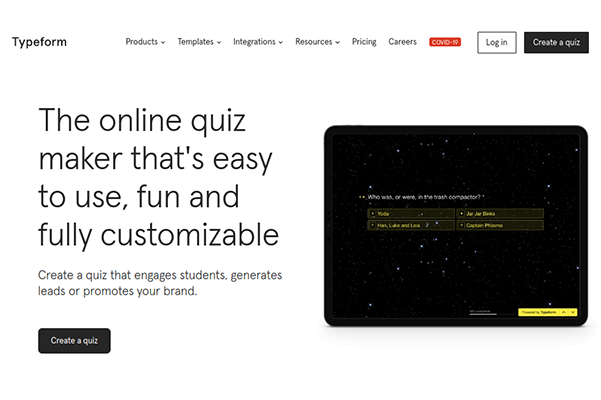
The first step in building a quiz with Typeform is to choose a form template. There are 25+ quiz templates for things like lead generation quizzes, marketing quizzes, product recommendation quizzes, etc.
That’s less than Jotform, but what Typeform lacks in quantity it makes up for in quality. Its quiz templates are all super well-designed and engaging.
You can easily adapt templates with your design and questions, and use features like Logic, Branching, Calculations, and custom Ending screens to create an interactive, personalized experience for your visitors.
Key features
- Quiz Maker. Use Typeform’s Quiz Maker to create a fun and interactive quiz to collect leads, gather feedback, or educate your audience.
- Score Calculator. Typeform’s Calculator lets you create your own quiz-scoring system and automatically generate reports for quiz-takers.
- Personalization. Use Typeform’s Piping feature to offer a personalized experience and address users by name throughout your quiz.
- Logic Jump. Utilize conditional logic to further personalize the user experience and serve up different content based on their answers.
Pros and cons
Pricing
Free plan available. Paid plans start from $29/month, save 16% with yearly billing.
#9 – Quiz Maker
Quiz Maker is a simple but powerful quiz maker for both marketers and educators. You can build your first two quizzes for free with Quiz Maker, and the paid plans are good value for money.
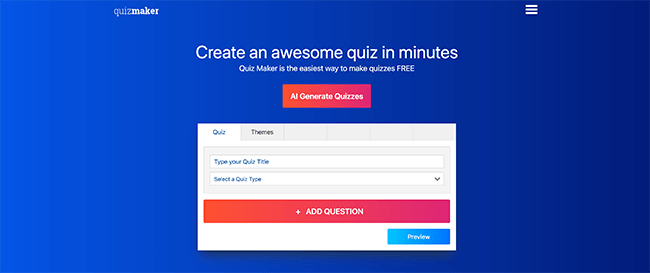
My favorite part about Quiz Maker is how basic it is to use. You start by deciding what kind of interactive material you want to create. There are a variety of options available, such as surveys, polls, product recommendation quizzes, personality tests, graded quizzes, and more.
After that, customize the theme and design by writing your questions and answers on the Themes tab. Then, just post your quiz on your website or distribute it via a direct link.
These cover the essentials, but you may also want to utilize some of the more sophisticated features. To encourage users, you may, for instance, make and assign certificates that are given out upon passing the quiz. To make your quizzes more engaging, include timings and leaderboards.
AI-based quiz feedback is an additional cool feature. It saves you time by alerting you when a quiz you’ve created needs feedback and making suggestions for comments based on feedback that has already been submitted. This is really helpful if you’re creating tests for educational purposes.
You can ask quiz takers to enter their email addresses in order to access the results in the Lead Capture section if you’re using your quizzes to generate leads.
Key features
- Multiple quiz types. Build different types of quizzes including scored/graded quizzes, product recommendation quizzes, personality tests, and more.
- Customization. Change the way your quiz looks to match your brand with the Themes feature.
- Quiz gamification. Incentivize users to take your quiz with public leaderboards, timers, certificates, and more.
- AI-powered quiz feedback. For educational quizzes, reduce the time you spend writing feedback with AI.
Pros and cons
Pricing
Free trial plan available (Evaluation plan). Paid plans start from $29/month, save 20% when you pay yearly.
#10 – SurveyMonkey
SurveyMonkey is primarily for surveys and questionnaires, but you can also use it to build your own online quizzes.
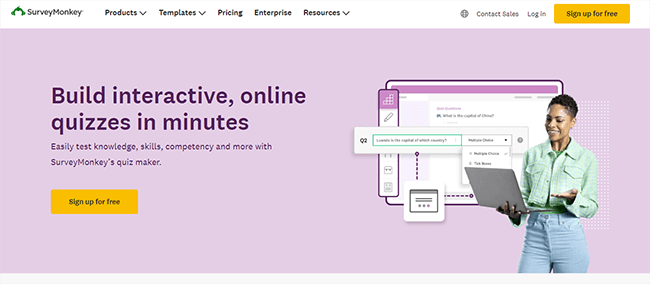
One can select from a variety of pre-written quiz templates, such as ones on grammar, TV shows, new hire orientation, etc. As an alternative, you can create one from scratch using the user-friendly drag-and-drop Survey Builder, which includes AI-powered assistance.
Your quizzes can have up to 25 different kinds of questions, and everything is completely customisable.
You may provide test takers with instant scores when they finish the quiz thanks to the auto-scoring feature. Additionally, employ branch logic to put quiz takers on specific paths based on their answers, give feedback on individual questions, and create personalized congratulations messages.
You can create an infinite number of surveys and quizzes with SurveyMonkey’s free Basic plan, but each quiz or survey can only have 25 replies collected and visible at a time.
Key features
- Drag-and-drop builder. Make your quizzes and other interactive content types in the drag-and-drop Survey Builder.
- Auto-scoring. Grade/score quizzes automatically so you can offer feedback and results to quiz-takers straight away upon completion.
- Branching logic. Personalize quizzes for users and send them different follow-up questions based on their previous answers
Pros and cons
Pricing
Free plan available. Paid plans start from $25/user/month billed yearly.
#11 – Quizlet
Quizlet is an AI-powered learning platform that you can use to create flashcard-style quizzes.
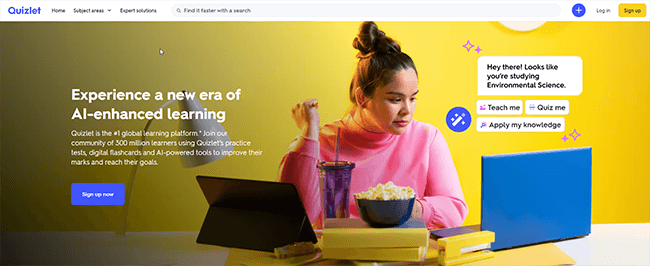
To aid in their revision, most people utilize Quizlet to make flashcards, often known as Study Sets. However, you can just use those flashcards to create quizzes in their place.
Simply fill in the “term” box on one side of the flashcard with the question and the “definition” box with the answer. If you’d like, you can enhance the visual appeal of your flashcard quizzes by using diagrams and graphics.
Better yet, use Test Mode to enable AI to automatically generate multiple-choice answers, written answers, true/false checkboxes, and picture matches from pre-existing Study Sets in a variety of quiz question formats.
It’s an AI writing tool that will generate all of your quizzes and study sets. To make a quiz on any topic, simply copy and paste some notes, and Quizlet will take care of the rest.
Key features
- Flashcard quizzes (Study Sets). Create flashcard-style Study Sets featuring your quiz questions and answers
- Test Mode. Turn any Study Set into a test automatically with the power of AI
- Magic Notes. Paste in notes to automatically generate Study Sets on any topic to use for your quizzes.
- Multimedia content. Add images and audio to your flashcard quizzes
Pros and cons
Pricing
Plans start from $7.99/month, and significant discounts are available when you pay yearly. Get started with a 7-day free trial.
#12 – TriviaMaker
TriviaMaker is a super tool that you can use to create your own game show-style quizzes.
TriviaMaker allows you to create more than simple multiple-choice quizzes where users must read your question and check a box to choose an answer. This is in contrast to many other quiz-making software.
Its quizzes are far more engaging; they resemble games that people can play in their browsers to see how much knowledge they know.
There are five quiz game types available: TicTac, Grid, List, Trivia, and Wheel. To see how each of them operates, you’ll have to try it out for yourself, but believe me when I tell they’re quite entertaining and interesting. They are all completely customisable, of course.
Key features
- Game-style quizzes. Choose from 5 different game styles including Grid, List, Trivia, Wheel, and Tictac.
- Pre-made games. Get started quickly by choosing from hundreds of pre-made games, or start from scratch.
- Browser-based quizzing. Students don’t need to download anything to play, quizzes/games run in the browser.
- Customization. Make the games/quizzes you create with TriviaMaker your own by customizing the colors, background, music, logo, and more.
Pros and cons
Pricing
Free plan available. Paid plans start from $6.99/month, or $19/year.
V. Use Cases
Online quiz maker tools have found applications across various sectors, transforming how we engage, assess, and learn. This versatility has led to their widespread adoption in fields ranging from education to corporate training, marketing, and entertainment. In this chapter, we’ll explore the diverse use cases of online quiz tools, examining how different industries leverage these platforms to achieve their specific goals. By understanding these applications, we can appreciate the true potential and adaptability of online quiz makers in our increasingly digital world.
A. Education and e-learning
- According to a 2023 survey by EdTech Magazine, 78% of educators use online quiz tools to assess student learning.
- Example: Kahoot!, used by over 50% of U.S. K-12 schools, allows teachers to create engaging, game-like quizzes.
- Statistics: A study published in the Journal of Educational Technology found that students who regularly took online quizzes scored 15% higher on final exams compared to those who didn’t.
B. Corporate training
- Data from LinkedIn Learning shows that companies using interactive quizzes in their training programs see a 25% increase in course completion rates.
- Example: Articulate Rise 360 is popular for creating branching scenarios and knowledge checks in corporate e-learning modules.
- Case study: IBM reported a 40% reduction in training time after implementing quiz-based microlearning.
C. Marketing and lead generation
- HubSpot reports that landing pages with interactive quizzes have a 50% higher conversion rate than static pages.
- Example: Outgrow allows marketers to create personality quizzes and product recommendation tools to engage potential customers.
- Statistics: According to Demand Metric, 96% of participants who start a BuzzFeed-style quiz will complete it, providing valuable lead information.
D. Entertainment and social media
- Buzzsumo analysis shows that quiz posts on Facebook receive 5x more shares than standard text posts.
- Example: Sporcle, a trivia quiz platform, boasts over 50 million monthly active users.
- Data: A 2023 GlobalWebIndex survey found that 35% of internet users engage with online quizzes for entertainment at least once a week.
VI. Benefits of Using Online Quiz Maker Tools
The rapid adoption of online quiz maker tools across various sectors is no coincidence. These platforms offer a myriad of advantages that traditional assessment and engagement methods struggle to match. From significant time and cost savings to enhanced user engagement and data-driven insights, the benefits of online quiz tools are both numerous and impactful. This chapter delves into the key advantages that make these tools indispensable in modern learning and assessment environments. We’ll explore how these benefits translate into tangible improvements in efficiency, effectiveness, and user satisfaction across different use cases.
A. Time and cost efficiency
- Research by Brandon Hall Group indicates that e-learning with quizzes takes 40-60% less employee time than traditional classroom training.
- Example: Typeform’s quiz builder allows users to create professional-looking quizzes in minutes without design skills.
- ROI data: A case study by Docebo found that implementing online quizzes reduced training costs by 30% for a mid-sized company.
B. Engagement and interactivity
- According to a Gallup poll, interactive learning methods like quizzes increase student engagement by up to 60%.
- Example: Mentimeter’s live polling feature allows presenters to gather real-time feedback and opinions from audiences.
- Statistics: Quizlet reports that 90% of students who use their flashcard and quiz tools feel more confident in their learning.
C. Data collection and analysis
- A survey by Forrester Research found that 74% of businesses consider quiz data “valuable” or “extremely valuable” for decision-making.
- Example: SurveyMonkey’s quiz analytics provide detailed insights on respondent behavior and answer patterns.
- Case study: The New York Times used quiz data from their “How Y’all, Youse and You Guys Talk” quiz to map dialect differences across the United States, garnering over 350 million page views.
D. Flexibility and accessibility
- According to the World Bank, online learning tools like quizzes have increased access to education in developing countries by 65% since 2010.
- Example: Google Forms allows users to create and take quizzes on any device with internet access.
- Statistics: A study by Pearson found that 81% of students say digital learning technology helps them improve their grades.
VII. Challenges and Limitations
While online quiz maker tools offer numerous benefits, it’s crucial to acknowledge and understand their potential drawbacks and limitations. Like any technology, these platforms come with their own set of challenges that users may encounter. From technical hurdles to concerns about data privacy and the constraints of certain tools, these issues can impact the effectiveness and user experience of online quizzes. In this chapter, we’ll examine the primary challenges associated with online quiz makers, providing a balanced view of their capabilities and limitations. By understanding these potential pitfalls, users can make more informed decisions and develop strategies to mitigate these challenges.
A. Technical issues
- A 2023 survey by EdSurge revealed that 45% of educators experienced technical difficulties when implementing online quizzes.
- Common problems include browser compatibility issues, slow loading times, and difficulties with mobile responsiveness.
- Example: ProProfs Quiz Maker addresses these challenges with 99.9% uptime and cross-browser compatibility.
B. Data privacy concerns
- According to a Pew Research Center study, 79% of Americans are concerned about how companies use the data collected from online quizzes.
- GDPR and CCPA regulations have impacted how quiz makers handle user data, especially in educational settings.
- Example: Classmarker offers enhanced security features like SSL encryption and the option to anonymize quiz results.
C. Limited question types in some tools
- A review of 50 popular quiz makers by eLearning Industry found that 30% offer fewer than 5 question types.
- This limitation can impact the effectiveness of assessments, especially for complex subjects.
- Example: iSpring QuizMaker stands out by offering 14 different question types, including hotspot and drag-and-drop.
VIII. Best Practices for Creating Effective Online Quizzes
Creating an online quiz is more than just formulating questions and answers. To truly harness the power of online quiz maker tools, it’s essential to follow best practices that enhance learning, engagement, and assessment accuracy. This chapter outlines key strategies for developing effective online quizzes, drawing from educational research and industry insights. From setting clear objectives to designing engaging questions, providing meaningful feedback, and leveraging quiz results, these best practices will help ensure that your online quizzes achieve their intended goals. Whether you’re an educator, trainer, or marketer, these guidelines will help you create quizzes that inform, engage, and inspire your audience.
A. Setting clear objectives
- Research by the Association for Supervision and Curriculum Development shows that quizzes with clearly defined learning objectives lead to 20% better retention rates.
- Tip: Use Bloom’s Taxonomy to align quiz questions with specific learning outcomes.
- Example: Formative, an assessment platform, allows teachers to tag questions with specific standards or objectives.
B. Designing engaging questions
- A study in the Journal of Computer Assisted Learning found that multimedia-enhanced quiz questions increase engagement by 35%.
- Best practices include using a variety of question types, incorporating images and videos, and keeping questions concise.
- Example: Quizizz allows creators to add memes and music to make quizzes more engaging for younger audiences.
C. Providing meaningful feedback
- Research published in Educational Psychology Review indicates that immediate, explanatory feedback improves learning outcomes by up to 40%.
- Effective feedback should explain why an answer is correct or incorrect and provide resources for further learning.
- Example: Socrative allows teachers to provide custom explanations for each answer choice.
D. Analyzing and acting on results
- According to Gartner, organizations that use quiz data to inform decision-making see a 15% improvement in business outcomes.
- Best practices include identifying knowledge gaps, adjusting teaching strategies, and personalizing learning paths based on quiz results.
- Example: Quizalize provides heat maps of student performance to help teachers identify areas needing improvement.
IX. Future Trends in Online Quiz Maker Tools
The landscape of online quiz maker tools is continuously evolving, driven by technological advancements and changing user needs. As we look to the future, several emerging trends promise to reshape how we create, deliver, and interact with online quizzes. This chapter explores cutting-edge developments such as AI-powered question generation, increased gamification, and the integration of virtual and augmented reality. These innovations have the potential to make quizzes more engaging, personalized, and effective than ever before. By understanding these trends, we can anticipate the future direction of online quiz tools and prepare for the next generation of digital assessment and engagement platforms.
A. AI-powered question generation
- Market research firm Technavio predicts that AI in education will grow by $10.38 billion from 2021 to 2025.
- AI algorithms can generate thousands of unique questions based on source material, reducing quiz creation time.
- Example: Zzish uses machine learning to automatically generate quiz questions from textbooks or lecture notes.
B. Gamification elements
- A report by Markets and Markets expects the gamification market to reach $30.7 billion by 2025, with education as a key sector.
- Gamified quizzes can increase engagement and motivation, leading to better learning outcomes.
- Example: Quizlet’s “Gravity” game turns flashcard review into an asteroid-shooting challenge.
C. Virtual and augmented reality integration
- Goldman Sachs estimates that AR and VR in education will be a $700 million market by 2025.
- VR and AR can create immersive quiz experiences, particularly beneficial for subjects like anatomy or engineering.
- Example: Labster offers VR-based science quizzes where students can interact with virtual lab equipment.
X. Conclusion
As we conclude our exploration of online quiz maker tools, it’s clear that these platforms have become integral to modern assessment, learning, and engagement strategies. This final chapter synthesizes the key insights from our discussion, reinforcing the transformative impact of online quizzes across various sectors. We’ll recap the diverse use cases, significant benefits, and potential challenges associated with these tools. Moreover, we’ll emphasize the importance of selecting the right tool for specific needs, considering the rapidly evolving landscape of quiz maker technology. This conclusion aims to provide a comprehensive perspective on the current state and future potential of online quiz makers, equipping readers with the knowledge to leverage these tools effectively in their respective fields.
A. Recap of key points
- Online quiz maker tools have become essential in education, business, and entertainment.
- They offer benefits such as improved engagement, data-driven insights, and cost efficiency.
- Challenges include technical issues and data privacy concerns, but best practices can mitigate these.
B. Importance of choosing the right tool for specific needs
- With the diverse range of tools available, it’s crucial to select one that aligns with specific goals and use cases.
- Future trends like AI and VR integration promise to make online quizzes even more powerful and engaging.
- As online learning continues to grow, quiz maker tools will play an increasingly important role in assessment and engagement across various sectors.