
Website Optimization Tools: Enhancing Performance and User Experience
I. Introduction
In the fast-paced digital world, a website’s performance can make or break a business. Website optimization is no longer a luxury—it’s a necessity for staying competitive and providing the best possible user experience.
A. Definition of website optimization
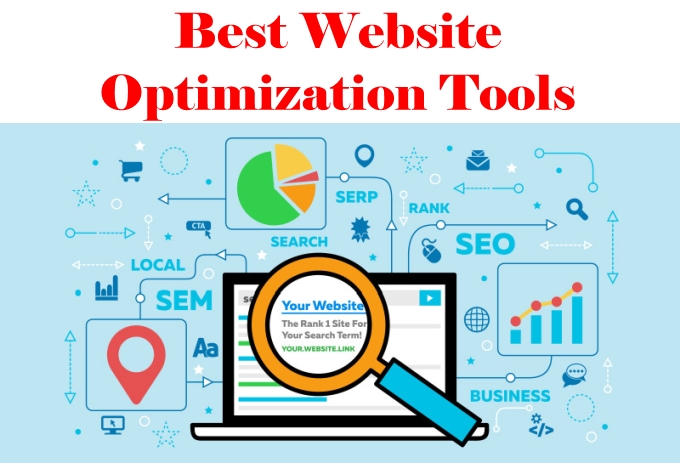
Website optimization is the process of systematically improving a website’s performance, user experience, and visibility in search engines. This multifaceted approach involves enhancing various aspects such as page load speed, content relevance, mobile responsiveness, and conversion rates.
B. Importance of website optimization in the digital landscape
The importance of website optimization cannot be overstated in today’s digital-first environment:
- 47% of users expect a web page to load in 2 seconds or less (Akamai, 2023).
- A 1-second delay in page load time can lead to a 7% reduction in conversions (Amazon, 2022).
- 88% of online consumers are less likely to return to a site after a bad experience (Forrester, 2023).
These statistics underscore the critical role that website optimization plays in user satisfaction, retention, and ultimately, business success.
C. Brief overview of different aspects of website optimization
Website optimization encompasses several key areas:
- Performance optimization: Enhancing page load times and overall site speed.
- SEO optimization: Improving visibility and ranking in search engine results.
- Conversion rate optimization (CRO): Increasing the percentage of visitors who take desired actions.
- Mobile optimization: Ensuring a seamless experience across all devices.
- User experience (UX) optimization: Improving navigation, readability, and overall usability.
II. Why Use Website Optimization Tools?
Website optimization tools provide invaluable assistance in improving various aspects of your site. Let’s explore the key reasons why these tools are essential for modern web development and digital marketing.
A. Improved user experience
Optimization tools help create a smoother, faster, and more enjoyable experience for visitors:
- Websites that load in 1 second have a 3x higher conversion rate compared to sites that load in 5 seconds (Google, 2023).
- 53% of mobile site visits are abandoned if pages take longer than 3 seconds to load (Google, 2023).
Example: An e-commerce site used a page speed optimization tool to reduce load time from 4.2 seconds to 1.8 seconds, resulting in a 27% increase in pages per session and a 15% decrease in bounce rate.
B. Higher search engine rankings
Search engines, particularly Google, consider site performance in their ranking algorithms:
- Page experience signals, including Core Web Vitals, are ranking factors for Google Search (Google, 2023).
- Websites that meet Core Web Vitals thresholds can see up to a 23% reduction in abandonment rates (Google, 2023).
Example: A news website implemented structured data markup using an SEO optimization tool, leading to a 34% increase in organic search traffic within three months.
C. Increased conversion rates
Optimization tools can significantly impact a site’s ability to convert visitors into customers or leads:
- A 1-second improvement in site speed can boost conversion rates by 2% (Portent, 2023).
- Mobile-friendly websites achieve 11% more conversions (Google, 2023).
Example: An online retailer used A/B testing tools to optimize their checkout process, resulting in a 18% increase in completed purchases.
D. Reduced bounce rates
By improving site performance and user experience, optimization tools help keep visitors engaged:
- Websites that load within 2 seconds have an average bounce rate of 9%, while sites that take 5 seconds to load have a bounce rate of 38% (Google, 2023).
Example: A blog implemented a caching solution, reducing page load time by 60% and decreasing bounce rate from 65% to 42%.
E. Cost savings on hosting and bandwidth
Optimized websites use server resources more efficiently:
- Properly optimized images can reduce a page’s total weight by 50% or more (HTTP Archive, 2023).
- CDN usage can reduce bandwidth usage by up to 70% (Akamai, 2023).
Example: A video streaming platform implemented adaptive bitrate streaming and a CDN, reducing bandwidth costs by 45% while improving video start times by 32%.
III. Types of Website Optimization Tools
Website optimization tools come in various forms, each addressing specific aspects of site performance and effectiveness. Let’s explore the main categories:
A. Performance Optimization Tools
These tools focus on improving the speed and efficiency of your website.
- Page speed analyzers
- Examples: Google PageSpeed Insights, GTmetrix, WebPageTest
- Function: Analyze page load times and provide specific recommendations for improvement
- Statistic: Websites that score in the top 10% on PageSpeed Insights are 5x more likely to have users stay on the site for 5+ minutes (Google, 2023)
- Caching tools
- Examples: WP Super Cache, W3 Total Cache, Varnish
- Function: Store frequently accessed data to reduce server load and improve response times
- Data point: Implementing a caching solution can reduce server load by up to 80% (W3 Total Cache, 2023)
- Content Delivery Networks (CDNs)
- Examples: Cloudflare, Amazon CloudFront, Akamai
- Function: Distribute content across multiple, geographically diverse servers to reduce latency
- Statistic: CDNs can improve website load times by up to 50% (Akamai, 2023)
B. SEO Optimization Tools
These tools help improve your website’s visibility and ranking in search engine results.
- Keyword research tools
- Examples: SEMrush, Ahrefs, Google Keyword Planner
- Function: Identify valuable keywords and analyze their search volume and competition
- Data point: Long-tail keywords (3+ words) account for 70% of all search queries (Ahrefs, 2023)
- On-page SEO analyzers
- Examples: Yoast SEO, Moz Pro, Screaming Frog
- Function: Analyze and provide recommendations for on-page elements like titles, meta descriptions, and content
- Statistic: Websites with a perfect on-page SEO score receive 5.8% more organic traffic (Moz, 2023)
- Backlink checkers
- Examples: Majestic, LinkResearchTools, Moz Link Explorer
- Function: Analyze a website’s backlink profile and identify link-building opportunities
- Data point: Websites ranking #1 on Google have an average of 3.8x more backlinks than positions #2-#10 (Backlinko, 2023)
C. Conversion Rate Optimization (CRO) Tools
These tools help increase the percentage of visitors who take desired actions on your site.
- A/B testing tools
- Examples: Optimizely, VWO, Google Optimize
- Function: Compare different versions of web pages to determine which performs better
- Statistic: Companies using A/B testing see an average increase of 49% in conversion rates (Invesp, 2023)
- Heatmap and user behavior analytics
- Examples: Hotjar, Crazy Egg, Lucky Orange
- Function: Visualize user behavior on web pages to identify areas for improvement
- Data point: Heatmap analysis can increase conversion rates by up to 30% (VWO, 2023)
- Form optimization tools
- Examples: Typeform, Formisimo, JotForm
- Function: Analyze and improve form completion rates
- Statistic: Reducing form fields from 11 to 4 can result in a 120% increase in conversions (Hubspot, 2023)
D. Mobile Optimization Tools
With mobile traffic accounting for over 50% of global web traffic, these tools are crucial for ensuring a great mobile experience.
- Mobile-friendly test tools
- Examples: Google Mobile-Friendly Test, Bing Mobile Friendliness Test Tool
- Function: Check if a website is optimized for mobile devices
- Statistic: 61% of users are unlikely to return to a mobile site they had trouble accessing (Google, 2023)
- Responsive design checkers
- Examples: Responsinator, AmIResponsive, Screenfly
- Function: Preview how a website looks on various device sizes
- Data point: Responsive design can lead to a 10.9% increase in conversion rates (Forrester, 2023)
- Mobile performance optimizers
- Examples: AMP (Accelerated Mobile Pages), PWA (Progressive Web Apps) tools
- Function: Create lightweight, fast-loading versions of web pages for mobile devices
- Statistic: AMP pages load 4x faster and use 10x less data compared to non-AMP pages (Google, 2023)
By leveraging these various types of optimization tools, website owners and developers can significantly improve their site’s performance, visibility, and effectiveness across all devices and platforms.
The best website optimization tools
#1 – NitroPack
NitroPack is the most effective technique to improve your website for faster page loads for the majority of users. It is an all-in-one solution for website speed optimization.
When it comes to optimizing websites, speed is crucial.
Why? Since websites with faster loading times are ranked better by search engines. Additionally, you receive more organic search traffic the higher you rank.
And using NitroPack is the simplest approach to speed up the loading of your website.
It was able to dramatically increase important site speed metrics straight out of the box in our tests.
It’s quite simple to use. Simply register and use a connector plugin to link it to your content management system (CMS) (e.g., WordPress, Magento, etc.).
After that, select your favorite optimization mode, and all speed optimizations will be applied automatically right away.
This covers caching, configuring preloading and DNS prefetching, removing superfluous parts from your website’s source code to speed up page loads, and minifying HTML, CSS, and JS.
It will also compress and optimize your photos, set up a global CDN, and do a host of other typical optimizations.
Key features
- Caching
- Global CDN
- CSS optimization
- HTML optimization
- JavaScript optimization
- Image optimization
- Lazy loading
Pros
- Easy to use
- All-in-one feature set
- Substantially boosts site speed
- Easy integration with CMS platforms
- Tailor optimization settings to the needs of your site
Cons
- Only optimizes your site for speed/performance
- Free plan includes a NitroPack badge (can be removed by joining their Speed Insiders program)
Pricing
Plans start from $21/month. Get 2 months free with annual billing. Limited free plan available.
#2 – MouseFlow
MouseFlow is a behavioral analytics tool that can assist you in increasing the number of leads and customers that come from your website by optimizing it for conversions.

It has a ton of helpful features that will support your efforts in CRO (conversion rate optimization).
For instance, you may track how users interact with different website pages by using the Heatmaps tool, which logs all website traffic. This covers actions such as clicking, dragging the mouse, paying attention, scrolling, etc.
After that, it presents all of the data in a clear and understandable picture that can assist in guiding your CRO approach. You’ll be able to determine friction points, discover where your visitors spend the most of their time, etc.
You may also watch visitors’ actions on your website in real time and obtain more contextual data about their journey to conversion by using the Session Replay function, if you’d like.
Additionally, you may get even more data that will enable you to stop your website from losing sales by utilizing form analytics, conversion funnels, and the user feedback system.
Key features
- Heatmaps
- Session replays
- Conversion funnels
- Form analytics
- User feedback
- Security features
- API
Pros
- Rich behavioral analytics to help with conversion rate optimization
- Enterprise-grade security and data protection
- Integrates with popular CMS and marketing platforms
Cons
Pricing
Free plan available. Paid plans start at $39/month. Save 20% with annual billing. Get started with a 14-day free trial.
#3 – VWO
VWO iis the A/B testing tool of choice. It can be used for complex experimentation, with the results being used to optimize your website for conversions.

Any element on your web pages may be changed with ease using the point-and-click visual editor, which also lets you easily make several versions for testing.
Subsequently, establish basic A/B tests or advanced multivariate or split URL testing to evaluate each version and determine the best performing one.
With just a few clicks, you can test and deploy an array of ready-to-use widgets that are preloaded into the visual editor to evaluate how they affect conversions. Additionally, you may use dynamic text to set create and test tailored experiences for visitors to your website.
Even more, VWO’s Visual Editor now includes an AI copy generator driven by GPT. With just a few clicks, you can create variants of your website copy and test them to see how they compare to your current text that has been created by humans.
For those that want greater control over your A/B tests, there’s also a developer-friendly code editor.
VWO is capable of managing server-side and mobile app testing in addition to website experimentation.
Key features
- A/B testing
- Split URL testing
- Mobile testing
- Visual editor
- Code editor
- URL/Device targeting
- Traffic allocation
- Web, mobile, and server-side experimentation
- Email support
Pros
- Best-in-class A/B testing
- Advanced features
- AI-powered content generation capabilities
- Can handle complex/sophisticated experimentation
Cons
- Paid plans are expensive
- High learning curve
Pricing
Free plan available. Paid plans start at $181/year. Get started with a 30-day free trial.
#4 – SE Ranking
SE Ranking is an all-in-one SEO (search engine optimization) platform. It comes with everything you need to optimize your site for search.

With the robust content optimization toolkit that SE Ranking provides, you can create content briefs, assess your top competitors, and improve written material.
However, it also comes with a ton of other tools to assist with various SEO-related tasks. This comprises backlink checking, website auditing, keyword rank tracking, keyword recommendation tools, and more.
In addition, it provides agencies with some helpful tools like a lead creation widget, an SEO report builder, and white label customisation.
Key features
- Keyword research tool
- Content marketing tool
- Content editor
- Rank tracker
- On-page SEO checker
- Website audit
- Competitor research
- Backlink checker
- White label
- Reporting
Pros
- Great value for money
- Accurate data
- All-in-one SEO toolkit
Cons
Pricing
Plans start at $49/month. Save 20% with annual billing. Get started with a 14-day free trial.
#5 – Scalenut
Scalenut is an additional AI-driven tool for content optimization and SEO. You may use it to create material for blogs and other websites that ranks ten times faster.
Scalenut can assist you in optimizing your website to receive as much traffic from organic searches as possible.
Initially, you can identify traffic-generating keywords and organize them into topic clusters using the content planning tool.
After that, in as little as five minutes, you may utilize the AI blog writer to create and optimize long-form blog posts centered around those keywords and post them to your website.
In addition, you can perform competitor analysis and find strategic SEO insights, audit the current SEO content on your website with real-time SEO scores, and more.
Key features
- One-click content plan
- Topic/keyword clusters
- Competitive analysis
- NLP key terms
- AI writer
- Real-time optimization
- SEO scores
- Content audit
Pros
- Excellent research tools
- Great SEO optimization tips
- Lots of AI writing templates
Cons
- AI writer sometimes produces poor-quality content
Pricing
Plans start at $39/month. Save 50% with annual billing. A 7-day free trial is available.
#6 – Hotjar
Hotjar is a behavioral analytics and heatmapping tool for websites. Utilize it to learn about user behavior on your page and identify areas that could benefit from optimization.

Heatmaps from Hotjar provide you a quick overview of how users interact with your page. You can observe where people focus most of their attention, how far they navigate, and which buttons they click.
With recordings, you can observe your website visitors’ mouse movements and the pages they view in real time, putting you in their position.
You can get information about visitor sentiment by adding feedback widgets to your most crucial website pages. This might help you determine and address any issues users may be having with a specific page.Key features
- Heatmaps
- Recordings
- Feedback
- Surveys
- Interviews
- Funnels
- Integrations
Pros
- Great heatmaps
- Nice UI
- Advanced analytics
Cons
- Slight learning curve
- Session-based pricing (can get expensive)
Pricing
Free plan available. Paid plans start from $39/month, save 20% with annual billing. Get started with a 15-day free trial. They offer a 30-day money back guarantee.
#7 – Unbounce
Unbounce is among the top landing page creators available. It uses artificial intelligence (AI) to help you develop sticky bars, popups, and landing pages that are optimized for the most conversions.
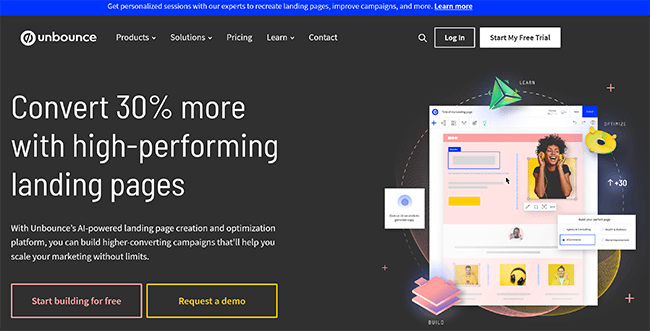
With a few clicks, Unbounce’s Smart Builder will create landing pages that are flawlessly optimized for you thanks to artificial intelligence. Simply provide some details about your campaign, and the Smart Builder will suggest a layout that has been shown to convert and is tailored to connect with your target demographic.
With just a few suggestions, the integrated AI writer can produce on-brand material to complement your landing pages. After that, edit them as necessary and post them directly to your website.
After creating your landing pages, you can utilize the Smart Traffic tool to optimize your PPC campaigns by sending site visitors to a customized landing page that most closely matches their search terms. This
Key features
- Landing page builder
- Popups and sticky bars
- AI copywriting
- AI optimization
- Smart Traffic (personalized post-click pages)
- Templates
Pros
- Very advanced feature set
- Best-in-class landing page builder and optimization
- Includes AI writer
Cons
- Expensive
- Pricing is based on traffic
Pricing
Plans start at $99/month. Save 25% with annual billing. You can get started with a 14-day free trial.
#8 – Clicky Analytics
Clicky Analytics is a web analytics tool that respects privacy. Your website optimization plan might be informed by the real-time monitoring and analysis of your website traffic behavior.

All of the most crucial data is tracked by Clicky Analytics, including visitors, actions, time spent on each visit, bounce rate, and more.
However, Clicky Analytics offers much more than just the fundamental indicators. It offers Heatmaps, comprehensive visitor and action logs, comprehensive reports for each visitor session, uptime monitoring and alarms, and much more.
These days, several additional technologies provide similar insights. However, Clicky Analytics’ accuracy sets it apart from other analytics programs.
This is partially attributable to its best-in-class bot identification feature, which gets rid of the issue of referrer spam and bots contaminating your data.
Because no personal data is logged in the default setting, it is also privacy-friendly. Every IP address is anonymised, and there are no tracking cookies.
Key features
- Website analytics
- Heatmaps
- Visitor and action logs
- Uptime monitoring
- Advanced bot detection
- Privacy-friendly
- GDPR-compliant
- Security and anti-fraud features
Pros
- Privacy and security-focused
- Basic and advanced website analytics
- Great bot detection
- Easy to use
Cons
Pricing
Free plan available. Paid plans start at $9.99/month. Save 33% with annual billing. Get started with a 21-day free trial.
#9 – RankMath
RankMath is a powerful SEO plugin for WordPress. It comes with a ton of useful tools that can help you to optimize your WP site for search.

You can install and activate RankMath from the WordPress plugin database.
To increase your chances of appearing in Google Rich Snippets, you can set up Google Schema Markup.
Additionally, you may optimize every article and page on your website around focus keywords, using suggestions to improve your ranking.
Additionally, the WordPress editor has an integrated AI assistant that may assist you in creating content that is optimized for search engines.
RankMath also lets you check the positions of your keywords in search results, find keyword variations, audit and analyze your website using 30 SEO tests, optimize redirection, fix broken links (404 errors), optimize internal links, and more.
Key features
- Keyword rank tracker
- Schema generator
- SEO reports
- SEO optimization
- Content AI
- Analytics
- Local SEO
Pros
- Very feature-rich
- Includes AI writing assistant
- Plugin is updated regularly
- Good value
Cons
- WordPress only
- No monthly pricing option (yearly plans only)
Pricing
Paid plans start from $59/year. A limited free version is available. They offer a 30-day money back guarantee.
#10 – WAVE
WAVE is a web accessibility evaluation toolkit. It can help you to optimize your website so that it’s more accessible to visitors with disabilities
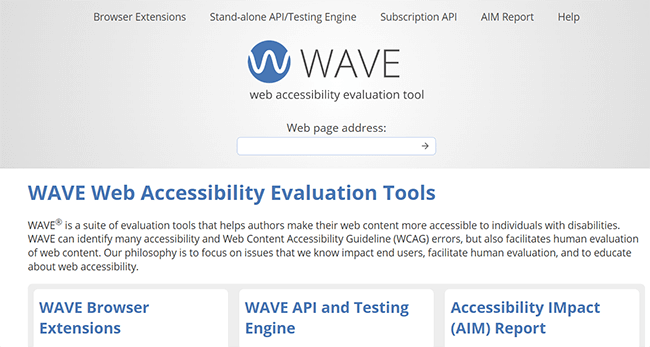
WAVE assesses your website’s compliance with the Web Content Accessibility Guidelines (WCAG) through testing and evaluation.
You can use it for free at all: Simply go to the website, type in the URL you wish to study, and WAVE will assess it and provide a comprehensive report.
You can see a list of all the errors that WAVE has found on the report. For instance, it will identify any areas on the page with extremely low contrast and indicate them. It will also draw attention to broken links, problems with structural components, etc.
Once these problems are resolved, you may ensure that your website is as accessible as feasible.
Key features
- Accessibility evaluation
- Issue identification
- Standalone API & testing engine
- Browser extension
- WGAC optimization
Pros
- Easy to use
- Evaluate website from your browser
- Free to use
- Best accessibility optimization tool
Cons
- Report is difficult to understand for beginners
- Only evaluate one page at a time
Pricing
WAVE is completely free to use.
#11 – LuckyOrange
LuckyOrange is an online software solution that offers a suite of tools to help you improve your website’s conversion rate.

This includes Session Recordings, which allow you to see how particular visitors navigate your website and determine what’s preventing them from converting, Dynamic Heatmaps, which show you which page elements visitors interact with, and Surveys, which allow you to get user feedback about your website.
In addition, Lucky Orange may be used to create conversion funnels, provide live chat assistance, evaluate forms, create triggered website announcements, and more.
Key features
- Session recordings
- Heatmaps
- Surveys
- Live chat
- Conversion funnels
- Dashboard insights
- Form analytics
- Visitor profiles
- Announcements
Pros
- Great dynamic heatmaps
- Easy to use
- Lots of integrations
- Broad feature set
Cons
- Support could be better
- Pricing based on pageviews (expensive for high-traffic sites)
Pricing
A limited free plan is available. Paid plans start from $18/month with 20% annual discounts available.
#12 – UserTesting
UserTesting is a tool that lets you focus your website’s optimization on the user experience. You can use it to gather honest feedback about your site’s usability from your test users, and you can utilize these insights to make improvements to your website’s layout, content, user experience, etc.
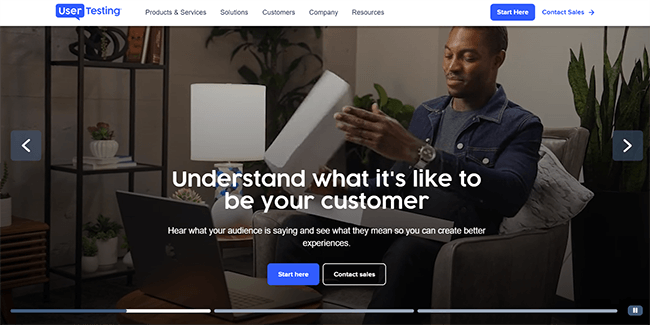
You can get actual members of your target market to complete tasks or actions on your website by using UserTesting.
The screen recording software from UserTesting will capture both their voice and screen images as they do the activities.
After that, you can watch or listen to the original versions of these audio and video recordings to gain unmatched insight into the user experience. You’ll be able to pinpoint problems and have a thorough comprehension of your website’s audience’s perspectives.
Before implementing any UX or web design modifications, it might also be helpful to test and confirm them.
Key features
- Session replays (with audio)
- Real human test subjects
- Targeted to your audience
- Custom test plans
- Analytics
- Share insights/reports
Pros
- Real human insights
- Great for user experience optimization
- Audio and video recordings
- Great for optimizing UX
Cons
- Not transparent about pricing
- Expensive
Pricing
UserTesting hides its pricing so you’ll have to reach out for a quote. Depending on your needs, it can get pretty expensive.
#13 – Google Analytics
Google Analytics is a free, comprehensive website analytics tool that measures and analyzes your website traffic. You can use it to uncover deep insights about your website traffic and user behaviors, and use these insights to optimize your site for more traffic and conversions.
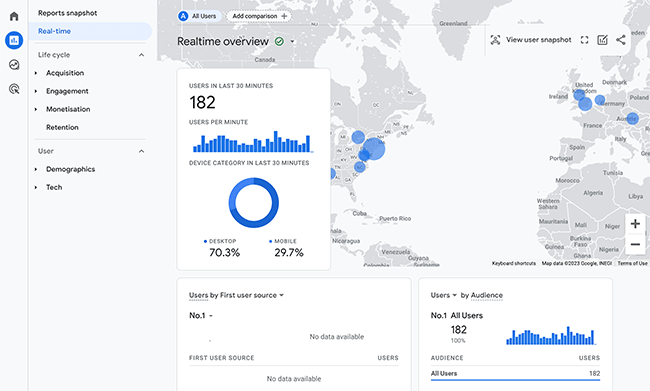
The Audience report from GA provides details on your visitors, including their devices, locations, demographics, and interests.
The Acquisition report provides information on how you gain people, or more specifically, where visitors to your website originate from. In order to better optimize your website for these channels and search phrases, you will be able to examine all of your traffic channels as well as the keywords driving traffic to your website.
You can also monitor website conversions with the Conversions report. Google will measure conversion events, which are defined as significant user activities such as form submissions or transactions, and generate statistics that may be utilized for informing website design and marketing strategies.
Key features
- Audience reports
- Acquisition report
- Behavior flow
- Conversions
- Traffic sources
Pros
- Free to use
- Deep insights
- Tracks and measures conversions
Cons
Pricing
Google Analytics is free to use.
#14 – Google Search Console
Google Search Console (GSC) helps you measure, analyze, and optimize your website’s performance on Google search.
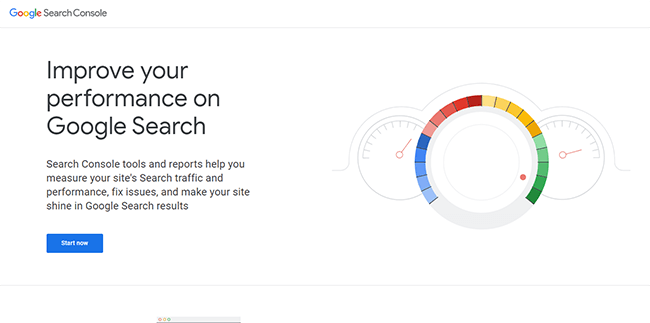
You can check which keywords and which pages are bringing visitors to your website on Google by looking at the Performance report. You can quickly view average placements, click-through rate, impressions, and CTR for each of your ranked keywords and sites.
The Coverage report helps you examine which of your website pages are already indexed, and request Google indexing for recently updated web pages. For quicker and simpler indexing, you may also upload a sitemap for your website.
The Page Experience Report evaluates the Core Web Vitals and mobile usability of your website and informs you of any problems that need to be fixed.
Additionally, you may improve your off-site SEO by seeing the connections report, which lists all of the internal and external connections pointing to your website.
Key features
- Traffic analytics
- Track clicks, impressions, etc.
- Coverage report
- Indexing tools
- Page Experience Report
- Links Report
- Sitemaps
Pros
- Essential SEO tool
- Accurate and reliable data
- Completely free
Cons
- Only provides insights for Google Search
Pricing
Google Search Console is a free tool.
#15 – GTmetrix
GTmetrix is a tool for optimizing site performance that will let you assess how well your site works, how quickly it loads, and what important areas you can work on to make it even better.
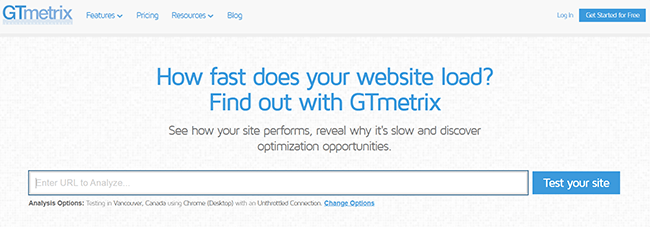
To get started, simply enter the URL of your website. It’s that simple to use.
Your website receives a GTmetriz grade in a matter of seconds. The program also gives you percentage scores for structure and performance, along with important web metrics.
The Top Issues tool is among GTmetrix’s top features. It provides you with helpful facts that will help you make improvements and explains precisely which causes are causing your site to slow down.
Users of GTmetrix Pro also receive extra benefits like 15 premium test location
Key features
- Site performance testing
- In-depth performance analytics
- Site load speed metrics
- Top Issues tool for optimization
- Mobile testing
- 7+ test locations
Pros
- The free plan has a good feature set
- Easy-to-use
- Mobile testing available
Cons
- Mobile options only available in the paid plan
- Free plan only includes one on-demand test
Pricing
GTmetrix offers a free account. Paid plans start from $13/month. Save 15% with annual billing. They offer a 14-day money back guarantee.
#16 – HubSpot
The main feature of HubSpot is its all-in-one marketing platform. It does, however, come with a few helpful tools that you may use to improve certain parts of your website. Its SEO optimization capabilities are among its best attributes in this regard.

The HubSpot SEO Software can assist you with website optimization in a few particular areas.
Included is a potent site inspection tool that facilitates the quick and simple identification of technical SEO problems. This tool’s recommendation section is my favorite since it offers highly detailed and useful advice. After you correct them, they are ranked according to severity, urgency, and projected outcome on SERPs. Nice, huh?
Similar crawlers from other sources will only provide thousands of errors without any more explanation. The fact that you’ll be more inclined to implement such fixes makes this a good substitute.
To monitor the results of your website optimization efforts, you can also get SEO analytics and custom reporting.
Key features
- Monitor rankings in any location
- Audit your website for hundreds of technical SEO issues
- SEO recommendation ranked in order of importance/ predicted impact
- Easily organize content into topics and discover content gaps your site has
- Built-in analytics feature that can serve as a replacement for both Google Analytics and Google Search Console (you can connect GA and GSC to HubSpot as well)
- Excellent customer support
Pros
- Intuitive, beginner-friendly interface
- Granular insights and detailed SEO recommendations
- Lots of customization options
- Easy integration with all other HubSpot tools
Cons
- Limited team collab features available
- No white label reporting available
- Slight learning curve due to the number of tools available
- May be overkill for some users
- Expensive
Pricing
A full demo is available of the software. Some basic features can be found on their free plan and lower-priced plans. For the full range of features, you’ll need access to their Marketing Hub Professional plan. This starts from $800/month depending on your requirements.
Factors to Consider When Choosing Optimization Tools
Selecting the right optimization tools is crucial for achieving your website’s performance goals. Here are key factors to consider:
A. Ease of use
User-friendliness can significantly impact tool adoption and effectiveness.
- Statistic: 72% of marketers cite ease of use as the most important factor when choosing optimization tools (MarketingProfs, 2023).
- Example: A small business owner switched from a complex SEO tool to a more user-friendly alternative, increasing their team’s productivity by 35% in SEO tasks.
B. Integration capabilities
The ability to integrate with your existing tech stack is crucial for seamless workflows.
- Data point: 64% of businesses report that integration challenges are a major hurdle in adopting new tools (Gartner, 2023).
- Example: An e-commerce platform chose a CRO tool that integrated directly with their CMS, reducing the time spent on implementation by 50% compared to a standalone solution.
C. Reporting and analytics features
Comprehensive reporting helps in making data-driven decisions.
- Statistic: Companies that use advanced analytics are 23 times more likely to acquire customers than their competitors (McKinsey, 2023).
- Example: A SaaS company implemented a tool with advanced funnel analysis, identifying a key drop-off point in their onboarding process and improving conversion rates by 18% after addressing the issue.
D. Cost and ROI
Consider both the upfront costs and the potential return on investment.
- Data point: Businesses that invest in optimization tools see an average ROI of 223% within the first year (Forrester, 2023).
- Example: An online retailer invested $5,000 in a suite of optimization tools, resulting in a $50,000 increase in annual revenue due to improved site performance and conversion rates.
E. Support and updates
Ongoing support and regular updates ensure long-term value.
- Statistic: 89% of customers say that a quick response to an initial inquiry is important when deciding which company to buy from (Salesforce, 2023).
- Example: A marketing agency chose a tool with 24/7 support, reducing downtime during critical campaigns by 60% compared to their previous solution.
Best Practices for Website Optimization
Implementing the right tools is just the beginning. Follow these best practices to maximize the effectiveness of your optimization efforts:
A. Regular performance audits
Consistently monitoring and analyzing your website’s performance is crucial for ongoing optimization.
- Statistic: Websites that conduct monthly performance audits see an average 20% improvement in page load times year-over-year (Google, 2023).
- Best practice: Schedule automated weekly or bi-weekly performance scans using tools like Google PageSpeed Insights or GTmetrix.
- Example: An online magazine implemented monthly audits, identifying and fixing performance issues that led to a 15% increase in pages per session over six months.
B. Implementing a comprehensive optimization strategy
A holistic approach to optimization yields the best results.
- Data point: Websites that implement a comprehensive optimization strategy (including performance, SEO, and CRO) see an average 32% increase in organic traffic and a 24% increase in conversion rates (SEMrush, 2023).
- Best practice: Create a checklist that covers all aspects of optimization, from technical performance to content quality and user experience.
- Example: A B2B software company developed a quarterly optimization plan covering performance, SEO, and CRO, resulting in a 40% increase in qualified leads over one year.
C. Balancing optimization with user experience
While performance is crucial, it shouldn’t come at the expense of user experience or functionality.
- Statistic: 88% of online consumers are less likely to return to a site after a bad experience (Forrester, 2023).
- Best practice: Use A/B testing to ensure optimizations improve both performance metrics and user satisfaction.
- Example: An e-commerce site removed high-resolution images to improve load times but saw a drop in conversions. They then implemented lazy loading, achieving both fast load times and high-quality visuals, resulting in a 12% increase in conversions.
D. Staying updated with latest web technologies and trends
The web is constantly evolving, and staying current is essential for maintaining a competitive edge.
- Data point: Early adopters of new web technologies see a 25% higher user engagement rate compared to late adopters (W3Techs, 2023).
- Best practice: Allocate time for your team to research and experiment with new technologies and attend industry conferences or webinars.
- Example: A travel website implemented Progressive Web App (PWA) technology early, resulting in a 50% increase in mobile user engagement and a 23% increase in bookings from mobile devices.
E. Prioritizing mobile optimization
With mobile traffic dominating, mobile optimization should be a top priority.
- Statistic: Mobile devices account for 61% of organic search engine visits in the US (BrightEdge, 2023).
- Best practice: Adopt a mobile-first design approach and regularly test your site on various mobile devices and networks.
- Example: A local news website redesigned their site with a mobile-first approach, resulting in a 30% increase in mobile time on site and a 25% decrease in mobile bounce rate.
F. Continuous learning and improvement
The field of website optimization is always evolving, making continuous learning crucial.
- Data point: Teams that dedicate at least 5 hours per week to learning new optimization techniques see a 37% higher success rate in their optimization efforts (CXL Institute, 2023).
- Best practice: Create a knowledge sharing system within your team and encourage experimentation with new tools and techniques.
- Example: A digital marketing agency implemented a monthly “optimization workshop” for their team, leading to a 28% improvement in client satisfaction scores and a 15% increase in client retention rates.
By considering these factors when choosing tools and following these best practices, you can create a robust website optimization strategy that drives meaningful improvements in performance, user experience, and business outcomes. Remember, website optimization is an ongoing process, not a one-time task. Continuously monitor, learn, and adapt to stay ahead in the ever-changing digital landscape.